Best Laptops for Engineering Students in 2026: Real Talk from Someone Who's Been There
Quick personal note before we dive in: I'm writing this as a mechanical engineering grad who made every laptop mistake possible. Freshman year? Bought a thin ultrabook because it "looked cool." Big mistake. Thing could barely run SolidWorks without melting. Sophomore year I overcompensated with a massive gaming laptop that weighed like 8 pounds and got weird looks in the library. Junior year I finally figured it out.
So yeah, this guide? It's everything I wish someone told me before dropping $2,000 on the wrong machine. I'm gonna be brutally honest about what actually matters versus marketing BS. Your engineering degree's hard enough without your laptop fighting you at 2am before project deadlines. Let's find you something that actually works.
Why This Actually Matters More Than You Think
Okay so picking the right laptops for engineering students isn't like grabbing some random laptop at Best Buy. Your roommate majoring in English lit? They can get away with a $400 Chromebook. You? Not so much.
Engineering school's gonna throw processor-intensive software at you that regular laptops can't handle. MATLAB, AutoCAD, SolidWorks, ANSYS—this stuff will make underpowered machines cry. I watched my freshman roommate's budget laptop blue-screen three times in one night trying to render a simple CAD model. Three times. He ended up pulling an all-nighter re-doing everything.
The stakes? Higher than most people realize. Struggling laptop means missed deadlines at 3am when renders crash. Corrupted files right before presentations. Study sessions turning into frustration marathons when simulations take forever. According to recent analysis, engineering students actually need dedicated graphics cards and proper cooling systems handling workloads that'd cook normal laptops.
Beyond raw power though, you need reliability and portability. Campus labs? They close at midnight. Computer lab workstations? Someone's always using them when you need one. Software licenses? They run out during finals week. Having your own capable machine becomes essential for getting work done anywhere, anytime.
The best laptops for engineering students balance powerful specs with real-world stuff—battery life that lasts through back-to-back classes, build quality surviving daily backpack abuse, cooling that doesn't sound like a jet engine in quiet libraries. Choose smart now, avoid expensive mistakes later (like me). Make sure your tech helps instead of sabotages your education.
🎯 Quick Picks - Just Tell Me What to Buy
What Actually Matters (Spoiler: Not What Salespeople Tell You)
When evaluating laptops for engineering students, a few things separate "yeah this works" from "holy crap this is perfect." Performance specs obviously matter—processor and graphics drive those complex simulations and CAD renders. According to TechRadar's 2026 testing, modern engineering work needs at least 16GB RAM minimum. But honestly? Get 32GB if you can afford it. You'll thank me junior year.
Here's what nobody talks about though: display quality matters way more than you'd think. You're staring at detailed designs and technical drawings for hours. A crappy screen with bad color accuracy? Your eyes'll hate you by midterms. Get something with good resolution and decent brightness. Trust me on this.
Build quality and portability—you're hauling this thing everywhere. Between classes, labs, study groups, coffee shops when the dorm gets too loud. Some "portable" workstations weigh 7+ pounds and your back will hate life. Find something balanced.
Finally, battery life and cooling ensure you're not hunting outlets every 2 hours or dealing with jet-engine fan noise. The best engineering student laptop keeps going during long study sessions without cooking itself or blasting everyone nearby with fan noise.
💡 Buying Tips Nobody Tells You (But Should)
1. Check the return policy obsessively. Best Buy's got 15 days, Amazon Prime's got 30. Some manufacturers offer longer. Buy it, actually use it for a week with your engineering software. If it sucks, return it. Don't feel bad.
2. Student discounts are HUGE if you know where to look. Apple Education pricing saves $200-300. Lenovo's student program often does 25-30% off. Microsoft Store offers student deals. Dell has education store. Don't pay full retail like a sucker.
3. Refurbished business laptops = secret weapon. Companies upgrade ThinkPads and HP EliteBooks every 2-3 years. Those machines are built way better than consumer stuff and you can grab them refurbished for 40-50% off. Lenovo's Outlet Store, HP's Renew program—look into it.
4. Black Friday/Back-to-School timing can save you $300-500. But honestly? If you need it now, buy it now. Missing deadlines because you're waiting for sales is dumb. Though if you can wait, July-August (back-to-school) and November (Black Friday) see massive discounts.
5. Extended warranties might actually be worth it. Yeah I know, usually they're a scam. But for a $2,000 engineering laptop you're using 8+ hours daily? Accidental damage protection through SquareTrade or manufacturer warranty might save your ass. Spilled coffee happens.
6. External monitors are game-changers. Seriously consider budgeting for a cheap 24" monitor. Running SolidWorks on a laptop screen sucks. Dual monitors? Game over, you're 2x more productive. Dell and ASUS make decent ones for $150-200.
7. Don't sleep on cooling pads. If you're doing heavy CAD work, a $30 laptop cooling pad prevents thermal throttling and extends your laptop's life. Saved my Legion from melting during finals week.
8. RAM and SSD upgrades are often cheaper DIY. If the laptop lets you upgrade (many don't anymore sadly), buying base config and upgrading RAM/SSD yourself saves $200-400. YouTube has tutorials. It's not that hard.
9. Check what software your school provides. Some engineering programs give free Windows licenses, SolidWorks licenses, MATLAB access. Knowing this before buying matters—maybe you don't need Windows if school provides it. Maybe you can go Mac if software's cloud-based.
10. Test the keyboard before committing. You're typing A LOT in engineering school. Reports, code, documentation, problem sets. Crappy keyboard = RSI and sadness. If buying online, make sure return policy's good so you can test it properly.
The Actual Laptops (In-Depth Reviews)
1. ASUS ProArt P16 – Yeah, It's That Good
The ASUS ProArt P16 is basically the laptop I wish I had sophomore year. This thing packs AMD Ryzen AI 9 HX 370 with NVIDIA RTX 4070 graphics—enough muscle to handle anything engineering school throws at you without breaking a sweat.
What makes this special? That 4K OLED display is legitimately gorgeous. Professional color accuracy too, which matters way more than you'd think for rendering and presentations. The 32GB RAM means you can run SolidWorks, MATLAB, Chrome with 50 tabs, Discord, Spotify, and still have headroom. The cooling system actually works—fans stay quiet even during heavy renders.
Real talk though: it's expensive ($2,200-2,500) and battery life under load is maybe 4-5 hours. Also weighs 5.3 lbs which isn't terrible but you'll notice it after hauling it around campus all day. Not the laptop you casually carry to every lecture.
For engineering students prioritizing raw power and not sweating the price, the ProArt P16 is basically the gold standard right now.
🏆 Best Overall Engineering Laptop
Check Latest Price on Amazon →✅ Pros:
- AMD Ryzen AI 9 (stupid fast)
- RTX 4070 destroys everything
- 4K OLED is gorgeous
- 32GB RAM = zero compromises
- Actually good cooling
- Professional color accuracy
❌ Cons:
- Pricey ($2,200-2,500)
- Heavy-ish at 5.3 lbs
- Battery tanks under load
- Overkill for CS majors
2. Dell XPS 15 – The Safe Choice (That's Actually Great)

The Dell XPS 15's been crushing it for years and 2026's model doesn't disappoint. Intel's latest chips, NVIDIA RTX graphics, and that signature premium build everyone recognizes.
The 3.5K OLED display is absolutely beautiful for CAD work. Colors pop, blacks are actually black, and details are crisp. The aluminum and carbon fiber construction feels solid—this laptop can take some abuse. Fits in most backpacks easily too at 18mm thin.
It handles MATLAB, AutoCAD, SolidWorks smoothly. The 32GB RAM config lets you run everything simultaneously. Battery life's decent—8 hours for normal use, drops to maybe 4-5 during heavy rendering but that's expected.
Downsides? Thermal management gets sketchy during really intensive work. The thin chassis means heat builds up and fans get loud. Also you're paying Dell tax—it's not cheap. And everything's soldered so no upgrading later.
Still though, it's a safe pick. Dell's support is solid, resale value stays high, and it looks professional in internship interviews.
✅ Pros:
- Gorgeous 3.5K OLED
- Premium build quality
- Intel 13th-gen + RTX
- Looks professional everywhere
- Good resale value
- Reliable AF
❌ Cons:
- Throttles under sustained load
- Not cheap
- Limited ports
- Can't upgrade anything
3. Lenovo ThinkPad P1 Gen 7 – The Professional's Choice

ThinkPad P1 Gen 7 is what actual engineering firms buy their employees. You're getting enterprise-level hardware with (kinda) student-accessible pricing through Lenovo's education discounts.
It packs Xeon or Core i9 processors with up to RTX 5000 Ada professional graphics. This thing handles massive SolidWorks assemblies, ANSYS simulations, rendering—doesn't even flinch. And that ThinkPad keyboard? Once you type on it, everything else feels mushy and terrible.
Build quality's military-grade tested (MIL-STD-810H). Survives the engineering student lifestyle—backpack tosses, accidental drops, 3am coffee spills. The 16-inch display comes in 4K OLED option. Battery life's solid 6-8 hours for typical use.
The catch? Professional pricing hits hard—$2,500-3,500. But Lenovo's student discount knocks 20-30% off sometimes. For mechanical/aerospace engineering with heavy CAD, this investment pays off.
💼 Professional Workstation
Check ThinkPad P1 Pricing →✅ Pros:
- Pro RTX graphics (5000 Ada available)
- Best keyboard period
- Military-grade durability
- ISV-certified CAD software
- Excellent cooling
- Student discounts available
❌ Cons:
- Expensive as hell
- Heavier than consumer laptops
- Boring design
- Battery dies fast under CAD
4. Lenovo Legion Pro 7i – Best Value, Not Even Close

The Legion Pro 7i is stupid amounts of power for the money. RTX 4070, Intel i9, 32GB RAM at $1,600-1,900. That's literally hundreds less than "professional" workstations with same specs.
Gaming laptops work great for engineering—they're built for sustained performance. The Legion's got vapor chamber cooling preventing thermal throttling during marathon CAD sessions. The 16-inch 240Hz display makes SolidWorks viewport navigation buttery smooth. Mini LED backlighting's bright and has great contrast.
Performance? Destroys everything. Complex assemblies render fast, simulations complete quick, MATLAB runs without lag. Cooling maintains performance where thin laptops throttle. Plus you can game during study breaks which honestly helps stay sane.
Trade-offs—gamer aesthetics with RGB (you can turn it off though). Weighs 5.5 lbs. Battery's maybe 5-6 hours typical use. But for budget-conscious students needing max performance per dollar? This is it. Lenovo student discounts make it even better.
💰 Best Value Engineering Laptop
Check Legion Pro 7i Pricing →✅ Pros:
- Insane value ($1,600-1,900)
- RTX 4070 + i9
- 32GB RAM standard
- Killer cooling
- 240Hz display
- Handles CAD + gaming
- Student discounts available
❌ Cons:
- Looks like gamer laptop
- Heavy at 5.5 lbs
- Battery life meh
- Loud fans sometimes
5. MacBook Pro 16" M3 Max – For CS Majors (Hear Me Out)

MacBook Pro with M3 Max chip—yeah I know, controversial for engineering. But hear me out. For certain majors, especially CS, this thing's actually perfect.
That M3 Max chip is legitimately impressive. 40-core GPU handles MATLAB, Python scientific computing, machine learning beautifully. Battery life's insane—18-22 hours real-world. Silent operation (no fans screaming). The display's arguably the best laptop screen you can buy.
For computer science and software engineering, macOS is actually better. Unix terminal, native Python, Homebrew, Docker—development experience beats Windows. Many tech companies run Mac-heavy environments so you're learning what you'll use professionally.
The limitations though? SolidWorks doesn't run on macOS. Most mechanical CAD is Windows-only. If you're mechanical/aerospace with heavy CAD work, skip this. But for CS, EE, data science? It's genuinely excellent despite the price ($3,200-3,900).
Education pricing saves $200-300 at least. And resale value stays high if you change your mind.
✅ Pros:
- M3 Max is stupid fast
- 18-22hr battery (not joking)
- Silent operation
- Best display anywhere
- Perfect for CS/coding
- Great resale value
❌ Cons:
- Expensive ($3,200-3,900)
- No SolidWorks
- Windows CAD incompatible
- Locked to macOS
6. ThinkPad X1 Carbon – Ultra-Portable Champion
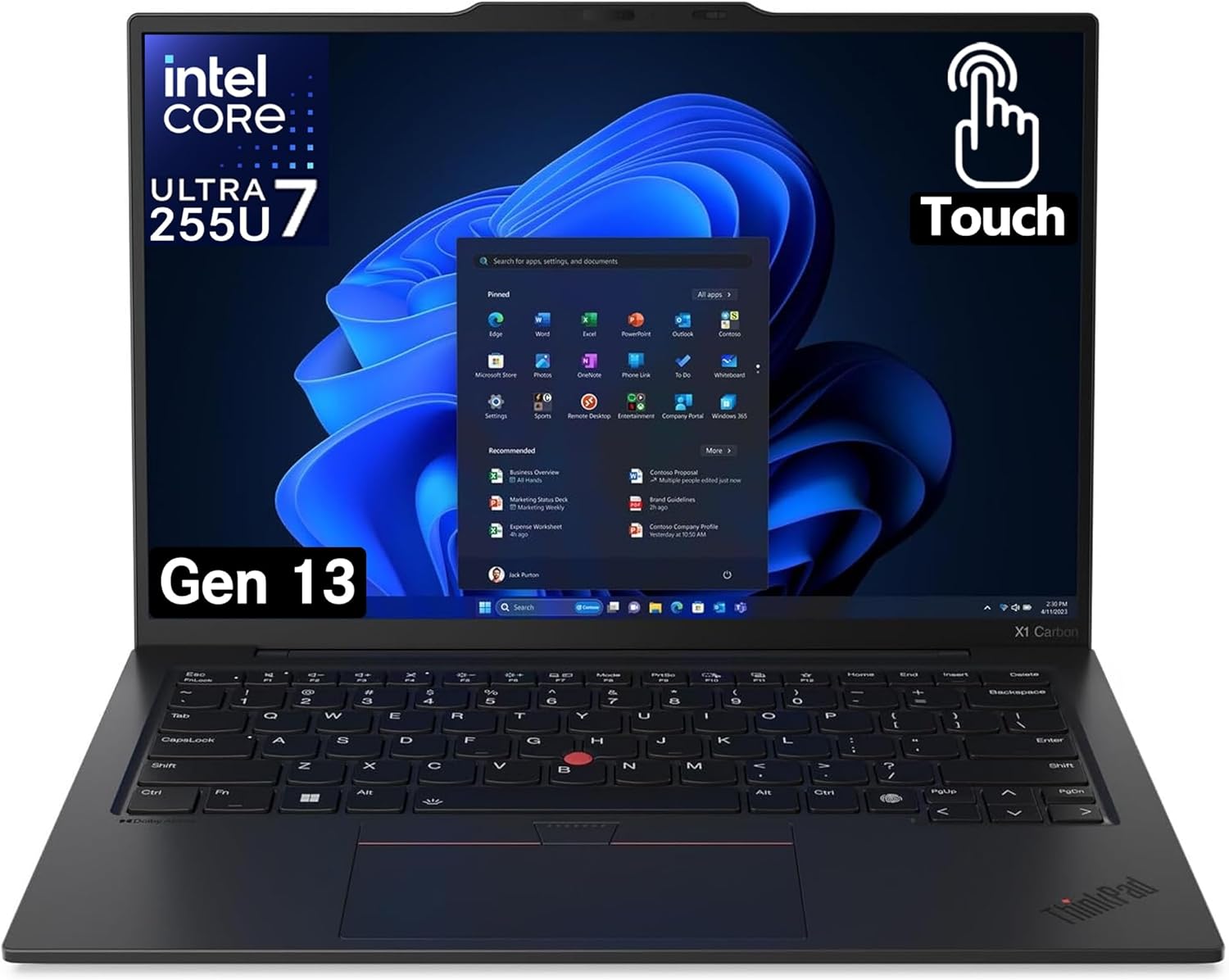
ThinkPad X1 Carbon's for students prioritizing portability over raw power. At 2.48 pounds with 15 hour battery life, this thing's perfect for all-day campus use.
You're attending 8am lectures, afternoon labs, evening study sessions without hunting outlets. The 14-inch display's got good color accuracy for lighter CAD work. And that ThinkPad keyboard—seriously the best typing experience anywhere.
Intel Core i7 handles lighter engineering—MATLAB, basic AutoCAD, programming environments easily. But intensive 3D modeling? You'll want cloud solutions or lab workstations for heavy projects. This isn't rendering 1000-part assemblies smoothly.
What makes it special? MIL-STD-810H certification and spill-resistant keyboard. Coffee spills at 3am? Backpack drops rushing to class? This survives. For CS, EE, or students not doing heavy CAD, the portability and reliability justify $1,300-1,800.
✅ Pros:
- Ultra-light (2.48 lbs)
- 15hr battery (real-world)
- Best keyboard ever
- Military-grade tough
- Spill-resistant
- Great for CS/coding
❌ Cons:
- Integrated graphics only
- Not for heavy CAD
- Need cloud/labs for intensive work
- Limited power
Real Talk About SolidWorks Performance
Choosing CAD laptops for engineering specifically for SolidWorks? Performance requirements get serious. SolidWorks needs real processing power, dedicated graphics, and decent RAM handling complex 3D modeling effectively.
According to Best Budget Laptops for Engineering Students 2026, minimum for smooth SolidWorks is 16GB RAM, dedicated GPU with 4GB+ VRAM, modern multi-core processor. But those are baseline specs. You want smooth performance, not "technically runs."
For actual professional-grade work, get RTX 4060 or higher. These provide certified drivers and stability for CAD apps. Processor should have at least 8 cores handling complex assemblies and real-time rendering without lag.
Planning extensive simulations or large assemblies? 32GB RAM prevents crashes at 2am before deadlines. 16GB works for basic undergraduate stuff but you'll push those limits junior/senior year.
💡 SolidWorks Real-World Performance
Minimum (gets you through): 16GB RAM, RTX 4050, 8-core processor. You'll manage basic coursework but expect slowdowns with bigger assemblies.
Recommended (smooth sailing): 32GB RAM, RTX 4060+, latest i7/i9 or Ryzen 7/9. Handles most undergrad projects comfortably without wanting to throw laptop out window.
Professional (no compromises): 32-64GB RAM, RTX 4070+ or professional Quadro, Xeon or high-end i9. For students doing research, competitions, or heavy simulation work.
Reality check: Assembly size matters way more than people realize. 100-part assembly? Most laptops handle fine. 500+ parts? You need decent hardware. 1000+ parts? Consider desktop or cloud solutions because even good laptops struggle.
Quick Comparison Table
| Model | Price | GPU | RAM | Best For |
|---|---|---|---|---|
| ASUS ProArt P16 | $2,199-2,499 | RTX 4070 | 32GB | Best overall |
| Dell XPS 15 | $1,799-2,299 | RTX 4050-4060 | 16-32GB | Premium build |
| ThinkPad P1 Gen 7 | $2,499-3,499 | RTX 5000 Ada | 32-64GB | Professional |
| Legion Pro 7i | $1,599-1,899 | RTX 4070 | 32GB | Best value |
| MacBook Pro 16" | $3,199-3,899 | M3 Max | 36-48GB | CS majors |
| ThinkPad X1 Carbon | $1,299-1,799 | Iris Xe | 16-32GB | Ultra-portable |
Different Majors, Different Needs
Engineering demands vary dramatically across majors. Mechanical engineering student running thermal sims needs different stuff than CS major doing web development.
CAD-Heavy (Mechanical, Civil, Aerospace): You're living in SolidWorks or AutoCAD. Get workstation-class laptop with discrete graphics and 32GB RAM. Investment pays off when renders don't crash at 2am. Think ASUS ProArt P16, HP ZBook, ThinkPad P1.
Programming/Software Dev (CS, Software Engineering): Fast SSD, good keyboard, battery life matter more than GPU power. MacBook Pro 16" M3 Max or ThinkPad X1 Carbon excel here.
Simulation-Heavy (Aerospace, Chemical): ANSYS and MATLAB need max CPU cores and memory. Laptop handling FEA today stays relevant four years. HP ZBook or ASUS ProArt maxed out.
Budget-Conscious: Mid-range laptop + cloud computing + campus labs for demanding stuff. Time sales right (back-to-school, Black Friday). Lenovo Legion Pro 7i gives best bang-for-buck.
Key insight: match laptop's strengths to your major's toughest requirements. Don't buy $3,000 workstation for mostly programming work.
What Nobody Tells You (The Honest Stuff)
Even the best laptop for engineering students has trade-offs you should know about upfront.
Battery life's the biggest lie in laptop marketing. "10 hours!" they claim. Reality during CAD rendering? Maybe 4. Maybe. Plan accordingly—bring your charger everywhere or get something with genuinely good battery like ThinkPad X1 Carbon or MacBook.
Thermal management gets sketchy fast. Intensive work pushes processors and GPUs hard. Fans get loud—sometimes really loud. Some laptops throttle performance preventing overheating which tanks your workflow exactly when you need speed most. That expensive laptop might slow down right when finals hit.
Budget reality forces tough choices. Entry-level handles freshman/sophomore work fine but struggles junior/senior year when projects get serious. According to The TOP Laptop for Engineering Students in 2026 REVEALED, students underestimate software needs for advanced courses like FEA.
Portability vs performance—the eternal struggle. Powerful workstations crush performance but weigh 7+ pounds. Your back hates carrying that between classes. Ultrabooks are convenient but can't run serious CAD smoothly. Pick your poison based on your actual daily needs.
Alright, Final Thoughts (Keep It Simple)
So yeah. Picking laptops for engineering school comes down to balancing what you can afford, what you can carry, and what your major actually needs. Don't overthink it too much but also don't cheap out on something you're using 8+ hours daily for four years.
If you're mechanical/aerospace doing heavy CAD? Get something with decent GPU (RTX 4060 minimum, preferably 4070) and 32GB RAM. ASUS ProArt P16 or Lenovo Legion Pro 7i depending on budget.
CS or software engineering? Battery life and keyboard matter way more. MacBook Pro 16" if you can swing it, ThinkPad X1 Carbon if not.
Electrical/chemical/general engineering? Something balanced like Dell XPS 15 or ASUS ROG Strix handles most stuff well.
On a tight budget? Lenovo Legion Pro 7i gives stupid performance for the price. Or look at refurbished ThinkPads—seriously underrated option saving 40% for basically same performance.
Whatever you pick, use those student discounts. Check return policies. Actually test it with your software before the return window closes. And for the love of god, don't wait until the night before classes start to buy one.
Good luck with engineering school. The laptop's just a tool—you're the one doing the actual work. But having the right tool makes that work way less painful.


No comments:
Post a Comment