Best AI Stock Trading Bot for Beginners 2026 – Top Picks That Actually Work
Short answer: Start with Composer. It's the most beginner-friendly automated trading platform out there — drag blocks together, backtest in seconds, connect to Alpaca, done. Zero coding. If paying anything right now isn't an option, Capitalise.ai is completely free and lets you type your strategy in plain English like you're texting a friend. And if you've already got some market knowledge and want the AI doing the heavy lifting on stock research, Trade Ideas Holly AI is what a lot of semi-serious retail traders swear by.

✅ 5-Point Checklist Before Choosing an AI Trading Bot
- Paper trade first. No exceptions. Every platform on this list has a simulated mode with fake money. Run your strategy there for at least a month before touching real capital. The number of people who skip this and regret it is not small.
- Confirm your broker is supported before paying anything. These bots connect to your brokerage via API — and they don't all connect to Schwab or Fidelity. Check the supported broker list on day one, not after you've subscribed.
- The Pattern Day Trader rule will catch you off guard if you're not ready for it. In the US, more than 3 day trades per week in a margin account requires $25,000 minimum. Swing-trading bots sidestep this entirely. Know which category your bot falls into.
- Win rate alone means nothing — drawdown is what actually matters. A platform showing 78% wins sounds amazing until the 22% losses wipe out 6 months of gains. Any platform that doesn't show drawdown data upfront is hiding something.
- If you can't explain the strategy in one sentence, don't automate it yet. "It buys momentum breakouts and exits on a 5% trailing stop" is good. "The AI picks the best stocks" is not. You need to understand what the bot is doing so you know when to shut it off.
⚡ If You're in a Hurry – Top 3 Quick Picks
1. Composer — My top pick for beginners who want to actually build something. Visual, no-code, connects directly to Alpaca. You can go from zero to a backtested, live automated strategy without touching a line of code.
2. Capitalise.ai — Best for the "I want to try this without spending money" crowd. You write your trading rule in plain English. It runs it. It's free. Genuinely nothing to lose by starting here.
3. Trade Ideas (Holly AI) — Best when you're past the pure-beginner stage and want serious AI-generated signals. Holly runs three separate AI systems overnight and serves up trade ideas every morning. It's not cheap, but it's the real thing.
📝 Editor's Note
Two years of testing these platforms across real market conditions — I've paper-traded on all of them, gone live on most, and watched how they behave when things get volatile. Nobody on this list paid for their spot. I've turned down sponsored content from a couple of these companies specifically so I can say that. The rankings come from actual use, not affiliate rates.What a Beginner Actually Needs From an AI Trading Bot in 2026
Most articles about AI trading bots assume you already know what you're doing. They drop "DCA strategy" and "Sharpe ratio" in the first paragraph without explanation and then wonder why beginners bounce off them within two minutes. That's not this.
So let's start from scratch. An AI trading bot is software that watches the market for you, then buys or sells stocks automatically when specific conditions are met — conditions you either set yourself or subscribe to from someone else. The bot doesn't sleep, doesn't panic when the market drops 3%, and doesn't second-guess itself at 2am. That's the actual value proposition, and for certain kinds of investors, it's a real one.
What bots can't do is make money in all conditions. Anyone telling you there's an automated system that just prints returns is lying to you. Some of the best-designed bots in the world had terrible years in 2022. The honest version of what these tools do: they remove the emotional garbage from your trading decisions, they execute faster than any human can click, and they let you run a strategy consistently without burning out watching charts. That's it. That's the real value. Work within that framing and these tools are genuinely useful. Expect a passive income machine and you'll be disappointed.
StockBrokers.com's 2026 research on AI trading platforms found that the four things beginners care about most are setup simplicity, paper trading support, transparent pricing, and backtesting access. Every platform on this list checks all four boxes. Here's what each one actually does and who should use it.
1. Composer – Best Overall AI Trading Bot for Beginners
Automated Trading Without Writing a Single Line of Code
If someone asked me where to send a beginner who wants to actually automate stock trades — not just read about it — I'd say Composer every time. The thing they figured out that most platforms didn't is this: the barrier for new traders isn't the market, it's the code. Nobody wants to learn Python just to test whether buying QQQ when it's above its 200-day moving average is a decent idea. Composer removes that requirement entirely.
You build strategies visually using blocks. "If SPY is above its 200-day moving average, buy QQQ. If it drops below, sell." That's a real strategy you can build in about four minutes on Composer. Stack more conditions on top, adjust position sizing, add a stop-loss, and you've got something worth backtesting. The backtesting engine is where beginners actually learn — run your strategy against five years of market history and you'll see every ugly drawdown, not just the cherry-picked wins. That's the honest data you need before risking anything real.
Going live routes through Alpaca, which is commission-free and works well for automated setups. In early 2026, Composer added an AI assistant that takes plain-language goals and suggests logic blocks to match — "I want to rotate out of tech when rates rise" gets you a starting structure to work from. It's not making the strategy for you, but it shortcuts the blank-page problem considerably.
Composer – Build automated stock trading strategies with drag-and-drop logic, no coding required
🏆 Best Overall Beginner Trading Bot 2026
Try Composer Free →Why No-Code Is a Bigger Deal Than It Sounds
Before platforms like Composer existed, building an automated trading strategy meant either hiring a developer or spending a year learning algorithmic trading in Python. That's not a small bar. It meant automation was effectively reserved for finance professionals and tech people, not regular investors with good trading instincts. The visual interface flips that — you can spend your energy on the actual strategy question (which stocks? which signals? how much risk?) rather than on making code compile.
The community strategy library is useful too, but treat it as a library, not a sure-thing store. Some of the shared strategies are well-documented with real performance data; others are barely explained and haven't been tested beyond a couple months of data. Use them to understand different strategy structures, then build something you actually understand yourself.
Where Composer Falls Short
Alpaca is the only live trading connection. If you're already set up at Schwab or Fidelity and don't want to open yet another brokerage account, that's a real sticking point — and it's the biggest practical complaint I hear from people who otherwise love the platform. It's also US stocks and ETFs only: no options, no futures, no crypto. That's fine for most beginners, but know it going in.
✅ Pros:
- True no-code — visual block-based strategy builder
- Thorough backtesting with drawdown and performance metrics
- AI assistant suggests strategy logic from plain-English goals
- Community library for learning from others' approaches
- Integrates directly with Alpaca for live commission-free trading
- Affordable pricing with current promotional rate
❌ Cons:
- Only connects to Alpaca — must open new brokerage account
- US stocks and ETFs only — no options or international markets
- Community strategies vary in quality — vet carefully
- Paper trading less realistic than some dedicated simulators
- Premium pricing after promotional period ends
2. Capitalise.ai – Best Free AI Trading Bot for Beginners
Type Your Strategy Like a Text Message. Watch It Execute.
The premise of Capitalise.ai is almost embarrassingly simple: you type your trading rule in plain English and it runs it. "If Apple drops below $180, buy 10 shares. If it goes up 7% from my buy price, sell everything." The platform parses that sentence, converts it into an automated rule, and connects to your brokerage to execute it in real time. No blocks to drag, no code to write, no forms to fill in beyond the sentence itself.
It's also completely free. As of 2026, there's no subscription fee, no hidden tier where the real features live. You sign up, connect a broker — Interactive Brokers, Alpaca, and TradeStation are the main US options — write your rule, and paper trade it before going live. Most people can get from zero to their first simulated strategy running in under 45 minutes. That is not a typo.
Here's what I didn't expect when I first used this: the act of typing your strategy out as a sentence is actually good discipline. You can't be lazy or vague. "The AI figures out when to buy" doesn't work as a rule. You have to say exactly what triggers a buy, exactly how many shares, exactly what makes you sell. That forced precision is the same habit that separates traders who are profitable from those who wing it — and Capitalise.ai builds it into the workflow by design.
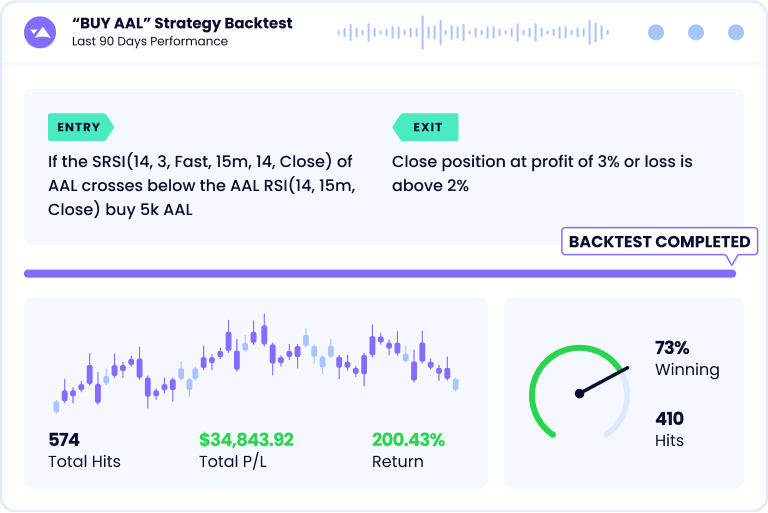
Capitalise.ai – Type your trading rules in plain English. The platform does the rest. 100% free.
💚 Best Free Beginner Trading Bot – Zero Cost to Start
Start for Free on Capitalise.ai →Who Gets the Most Out of This
Two kinds of beginners do really well here. First: people who want to explore automated trading but aren't ready to pay for it. There's nothing to lose — open an account, paper trade a strategy, see how it feels. Second: people who already have manual trading habits and want to automate them. If you've been watching a stock and thinking "I'd buy it if it hit $X but I'm never at my computer at the right moment," Capitalise.ai is the solution to that specific problem.
The multi-condition rules are also more capable than they first appear. "If SPY is below its 50-day moving average AND the VIX is above 20, sell my SPY position" is a real, layered strategy you can write in one sentence. Stack conditions intelligently and you get something surprisingly sophisticated for a free tool.
Where It Has Real Limits
The natural language parser is good but not infallible. Write something ambiguous and it'll interpret it in a way you didn't intend — and that can cause real problems when you go live. Always read back what the platform tells you it understood before you run anything. Backtesting is thinner here than on Composer or TrendSpider; you can test, but you get less historical depth and fewer analytics. And since it's free, support is limited. There's documentation, but don't expect a live chat rep to walk you through problems.
✅ Pros:
- Completely free — no subscription fees as of 2026
- Plain English strategy input — zero coding required
- Supports multiple brokers (IBKR, Alpaca, TradeStation)
- Paper trading to test risk-free before going live
- Forces disciplined, explicit strategy thinking
- Multi-condition logic for more nuanced rules
❌ Cons:
- Can misinterpret complex or ambiguous language
- Limited backtesting depth vs paid platforms
- Support and documentation lighter than paid tools
- Less control over advanced execution parameters
- Free tier may add features/pricing in future
3. Trade Ideas (Holly AI) – Best AI Signal Platform for Serious Beginners
20 Years Running, and Holly AI Is Still the Best Retail Signal System Out There
Trade Ideas has been doing this since 2003. That's not a throw-away detail — it means the platform has survived the dot-com crash, the 2008 financial crisis, COVID volatility, and the 2022 rate-hike massacre. The fact that it's still the go-to platform for a significant slice of retail active traders tells you something about whether it actually works.
The headline feature is Holly — three separate AI algorithms that run overnight every trading day, backtesting millions of potential setups across 8,000+ US stocks, and then delivering a shortlist of curated trade ideas before the market opens. Holly 2.0, Holly Neo, and Holly AI each use different approaches to pattern recognition, which means they frequently surface different opportunities. You get three perspectives on what the market is setting up, not just one. Each trade idea includes an entry zone, a suggested stop-loss, and a target. They're not always right — nothing is — but the signal quality is consistently higher than what you'd get from a basic screener.
There's also a live trading room where experienced traders walk through Holly's output in real time each morning. For a beginner, that room is worth paying for on its own — you're watching how professionals evaluate and filter signals, which is a skill that takes years to develop on your own. Auto-execution through broker integration is available if you want Holly's picks to fire automatically, but I'd strongly suggest watching signals manually for a couple months before turning that on.
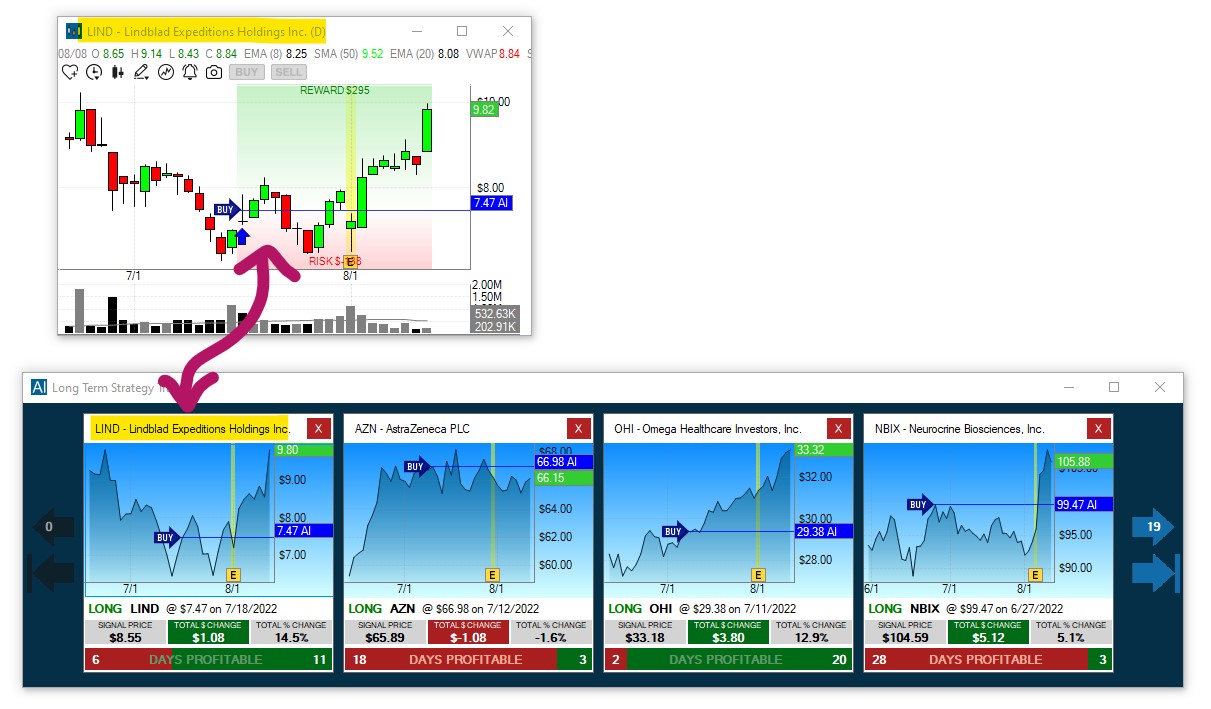
Trade Ideas Holly AI – Three overnight AI algorithms deliver pre-market trade signals across 8,000+ US stocks
📈 Best AI Signal Platform – Professional Grade
Get Trade Ideas Premium →What Holly Is Actually Doing While You Sleep
People compare Trade Ideas to stock screeners and that's not right. A screener filters stocks by static criteria — "show me all stocks above their 50-day moving average with volume over 1 million." Holly runs thousands of complete strategy variations on historical data, evaluates their recent performance, and surfaces the specific setups that are statistically working right now in these market conditions. It adapts. That's the difference between a fixed filter and an AI system, and it's why the platform built the loyal following it has.
Is This the Right Starting Point?
Probably not for day one. The Standard plan at $84/month doesn't include Holly AI — you need Premium at $228/month for that. That's $2,736 a year on top of your trading capital. For a true beginner who hasn't traded much, that's the wrong order of operations. Get familiar with how markets work on a free or cheap platform first. Come back to Trade Ideas when you can actually evaluate whether Holly's signals fit your risk tolerance — because if you can't tell a good signal from a bad one, $228/month of AI analysis won't help you as much as you'd hope.
✅ Pros:
- Holly AI — most sophisticated retail AI signal system available
- 20+ years of track record and platform refinement
- Live trading room for real-time learning alongside AI signals
- OddsMaker backtesting shows historical signal performance
- Auto-execution available through broker integration
- Free par plan available with delayed data for initial testing
❌ Cons:
- Holly AI requires $228/month Premium — steep for absolute beginners
- Day trading focus — most useful for frequent active traders
- Pattern Day Trader rule means you need $25K+ to day trade legally
- Complex interface — learning curve for complete beginners
- Best results require time and discipline to implement signals properly
4. Tickeron – Best AI Robots for Beginner Swing Traders
Browse Automated Systems Like an App Store. Subscribe to the Ones You Trust.
Tickeron's whole approach is built on a simple observation: most beginners don't want to design a trading system from scratch. They want someone else to have done that already. So Tickeron built a Robot Marketplace — a library of 30+ pre-built automated trading systems where each robot lists its strategy, its historical win rate, its average holding period, and its maximum drawdown. You browse like an app store, pick a few that match how you want to trade, and connect them to your brokerage account.
The thing that makes this accessible to beginners specifically is the "Likeliness of Success" percentage next to every signal. It's a 0–100 number representing the AI's statistical confidence in that trade based on historical pattern data. You don't have to interpret a chart or understand options Greeks or know what an RSI reading means. A number tells you how confident the system is. That's a significant accessibility improvement over platforms that just give you a buy/sell signal with no context.
Asset class coverage is also broader than most competitors: stocks, ETFs, forex, and crypto all live in one interface. For a beginner who wants to poke around in multiple markets without juggling different tools, that's genuinely convenient. A real free tier exists — not a hobbled trial, but actual functionality — so you can explore before committing money to a subscription.
Tickeron AI Robots – Browse 30+ pre-built automated trading systems with documented performance histories
🤖 Best for swing traders: Pre-built AI portfolios with documented track records → Explore Tickeron's AI Robot Marketplace
Why Swing Trading Works Better for Beginners Than Day Trading
Tickeron's robots skew toward swing trading — holding positions for a few days to a couple of weeks — and that's actually a good fit for most beginners. You're not glued to charts during market hours. You're not fighting the Pattern Day Trader rule that requires $25,000 minimum if you make more than 3 same-day trades per week. And positions have enough time to develop that you're not getting stopped out by normal intraday noise. For someone just building experience with automated trading, swing setups are more forgiving than day trading setups.
The Part That Will Frustrate You
Tickeron's tier structure is a genuine mess. There's a free level, then membership tiers, then AI Robot subscriptions that cost on top of the membership. Working out exactly what you're paying for and what's actually included in each tier requires reading a lot of fine print. I've seen people subscribe to a tier expecting Holly-AI-level functionality and get much less. Do the math before you click buy. Charting tools are also noticeably weaker than TrendSpider if you want to do any real technical analysis alongside the robots.
✅ Pros:
- 30+ pre-built AI Robots with documented performance data
- Free tier lets you explore before paying anything
- "Likeliness of Success" percentage makes signals accessible
- Swing trading focus — no $25K PDT rule requirement
- Covers stocks, ETFs, forex, and crypto in one platform
- Financial Learning Models (FLMs) for pattern recognition
❌ Cons:
- Confusing tier structure — multiple overlapping paid plans
- AI Robots cost extra on top of membership fees
- Charting tools less advanced than TrendSpider or TradingView
- Past robot performance doesn't guarantee future returns
- Complex marketplace can overwhelm true beginners initially
5. TrendSpider – Best AI Bot Builder for Beginners Ready to Level Up
The Platform That Does the Chart Reading Work You Haven't Learned Yet
Technical chart analysis — drawing trend lines, identifying support and resistance zones, spotting candlestick patterns — takes most traders years to get good at. TrendSpider's AI handles all of that automatically. Open any stock, and the platform has already drawn the significant trend lines, identified the Fibonacci retracement levels, flagged 150+ candlestick patterns, and highlighted where multiple timeframes agree on a key level. What would take an experienced analyst an hour to produce manually for a single chart happens in seconds.
For a beginner who's interested in technical analysis but doesn't want to spend months studying before they can act on it, that's a real shortcut. You can look at what the AI identifies, learn what each pattern or level means, and build bots that trade on those signals — all without having drawn a chart by hand once. The backtesting is point-and-click: select a setup on the chart, ask how often it played out over the past three years, and decide whether it's worth automating.
TrendSpider added an AI Sidekick in 2025 — a chat assistant built into the chart interface that you can literally ask questions. "Why did you draw a trend line here?" gets a plain-English explanation. "What does this candlestick pattern historically do next?" returns actual historical statistics. It's like having a more experienced trader sitting next to you explaining what they see, which is a genuinely useful way to learn.

TrendSpider – AI-automated trendline detection, pattern recognition, and no-code bot trading in one platform
📊 Best AI charting + bot platform: Automated technical analysis without manual charting → Try TrendSpider's Strategy Tester
Who Should Actually Use TrendSpider
Be honest with yourself here: TrendSpider rewards people who are curious about charts. If you want to understand why a stock is moving, what the significant price levels are, and how different technical setups have historically resolved — this is a great platform. If your goal is to set up a simple rule and forget about it, Composer or Capitalise.ai will feel more natural and waste less of your money on features you'll ignore.
The "learn while you automate" angle is real here. Using TrendSpider actively — studying what the AI identifies, testing setups in the backtester, building simple bots — builds a foundation in technical analysis that makes you a better trader across any platform you use afterward. That long-term value is worth something beyond the monthly fee.
Be Ready for the Learning Curve
There's no way around it: TrendSpider is the most complex platform on this list. The first two weeks will feel overwhelming. The feature set is deep, the interface has a lot going on, and the backtesting engine has enough options to be confusing before you get comfortable with it. At $54–$122/month, it's also a significant ongoing commitment. There are promo codes floating around that knock 30% off, which helps. The payoff, for people who engage with it seriously, is access to charting quality that usually costs multiples of this at institutional tools.
✅ Pros:
- AI auto-detects trendlines, Fibonacci, and 150+ candlestick patterns
- Point-and-click backtesting — no coding required
- AI Sidekick chat explains chart signals in plain English
- Multi-timeframe analysis for better trade timing
- Supports stocks, ETFs, forex, futures, and crypto
- Auto-trading integrations with multiple brokers
❌ Cons:
- Steeper learning curve than Composer or Capitalise.ai
- $54–$122/month is a notable cost commitment
- Best for technical traders — less useful without charting interest
- Feature depth can overwhelm true beginners initially
- Not ideal if you want pre-built signals rather than building your own
6. StockHero – Best Bot Marketplace for Beginner Set-and-Monitor Trading
Skip the Building Phase. Rent a Bot Someone Else Already Tested.
StockHero works from a premise most beginner platforms ignore: new traders don't want to architect a system from zero. They want to find something that someone more experienced already built, tested, and documented — then run it. The Strategy Marketplace is exactly that. Experienced traders publish bots with their approach clearly explained, their historical performance shown, and their drawdowns included. You browse, evaluate, and subscribe to the ones you trust, the same way you'd browse an app store.
StockHero also has a drag-and-drop bot builder if you eventually want to create your own. DCA (Dollar Cost Averaging), Grid Trading, and basic momentum strategies are pre-templated, so you're not starting from nothing. The interface is cleaner and more beginner-friendly than Trade Ideas or TrendSpider — onboarding takes maybe 20 minutes before you're running your first paper trade. Supported brokers include Webull, TradeStation, and Alpaca, with the list growing steadily.
The Starter plan is $29.99/month, which is about as low as paid trading bot platforms get. There's a free plan for initial poking around. Paper trading works across every plan. For someone who wants to get hands-on without a serious financial commitment to the platform itself, the math is reasonable.

StockHero – Browse and deploy pre-built AI trading bots from the Strategy Marketplace, no coding required
🛒 Best Bot Marketplace for Beginners
Explore StockHero's Strategy Marketplace →Why Paper-Trading Someone Else's Bot Is Actually Educational
Run a marketplace bot in paper trading mode for 6–8 weeks and watch it closely. Not just the P&L — watch which setups it enters, how it sizes positions, what makes it exit. After a month, you start understanding the strategy from the inside. You can see whether it's holding through drawdowns appropriately or cutting losses too early. That observation builds real intuition about what systematic trading looks like in practice, which is more useful than any book or course.
Things to Check Before You Subscribe to a Marketplace Bot
Not all performance histories mean the same thing. Some platforms show backtested results from data the strategy was built on — which is different from forward-tested real-world performance. Look for bots with at least 6 months of live performance data, not just backtests. Always check the maximum drawdown: an 80% win rate with a 45% max drawdown means your account could have nearly halved at some point while that bot was "winning." StockHero also supports fewer brokers than the bigger platforms — check that list before you commit to a plan.
✅ Pros:
- Strategy Marketplace — rent vetted bots with performance history
- Clean, modern interface designed for beginners
- Free plan to explore before paying anything
- Affordable paid plans starting at $29.99/month
- DCA, Grid, and momentum templates for self-build
- Paper trading on all plans for risk-free testing
❌ Cons:
- Marketplace bot performance requires careful vetting
- Smaller broker integration list than major platforms
- Higher-tier plans needed for advanced backtesting
- Bot quality in the marketplace varies widely
- Less educational depth than Trade Ideas or TrendSpider
7. TradingView – Best Free Platform for Chart-Based Beginners Who Want Bot Features
60 Million Traders Use This. There's a Reason.
If you've spent any time at all researching stocks or trading online, you've already seen TradingView charts. They're embedded in financial news articles, YouTube breakdowns, Reddit posts, and broker platforms worldwide. Over 60 million traders use the platform — not because it has the flashiest AI bot builder, but because the charts are the best available at any price point, and the community sharing knowledge around those charts is enormous.
The free tier is where most beginners should start. You get real-time stock data, 100+ built-in technical indicators, and access to a library of thousands of free community strategies (called Pine Script scripts) published by other traders. Many of those strategies are well-documented, with the creator explaining their approach and the logic behind each rule. You can browse them, apply them to charts, and study how they work before running anything live.
The automation angle works through broker integrations and webhook alerts. Once connected (Interactive Brokers, TradeStation, and others are supported, with more via third-party connectors), a TradingView strategy alert can trigger a live trade automatically. It's not as clean and turnkey as Composer's setup, but it works — and the breadth of community strategies available to automate is massive compared to any other platform's library.
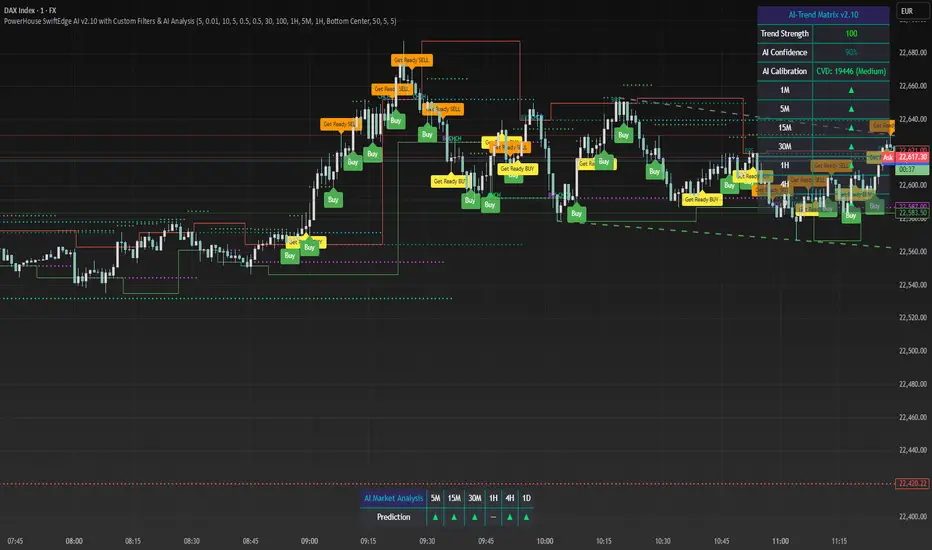
TradingView – World's most popular charting platform with AI pattern detection and live broker auto-trading integration
📉 Best free charting + automation: 60M+ traders can't be wrong → Start free on TradingView
The Free Tier as a Learning Tool
Even if you end up paying for Composer or Trade Ideas long-term, I'd spend a couple months on TradingView's free tier first. The combination of great charting, a huge community, and the ability to apply and study community strategies teaches you how experienced traders read markets faster than any course I know of. When you eventually move to a more automated platform, you'll arrive with real context about what signals matter and why — and that makes you a smarter user of any AI system.
TradingView added AI-powered chart pattern recognition in 2025 that highlights flags, triangles, head-and-shoulders patterns, and more directly on the chart with plain-English labels. For a beginner who keeps reading "look for a bull flag pattern" in articles but isn't sure what one looks like, having the AI highlight them live is a shortcut that actually works.
Where It's the Wrong Tool
Setting up webhook-based auto-trading on TradingView is a more technical process than other platforms on this list. There are steps involved, third-party connectors to configure, and Pine Script strategies to at least partially understand before you automate them safely. If you want a clean "I built a bot, it's running, I understand it" experience, Composer gets you there faster. TradingView is better for people who want to learn chart analysis first and layer automation in later, not those who want to skip straight to automation on day one.
✅ Pros:
- Genuinely useful free tier — best free charting platform available
- Massive community library of free strategies and indicators
- AI pattern detection built into charts for beginners
- Broker integrations for live automated trading
- Global market coverage — stocks, crypto, forex, futures
- Exceptional educational community — learn alongside automation
❌ Cons:
- Webhook automation setup is more technical than other platforms
- Reading community scripts requires basic Pine Script knowledge
- Not a purpose-built bot platform — requires more setup
- Free plan has data limitations and fewer simultaneous charts
- Community script quality varies — vet strategies carefully
What Most Beginner Guides Don't Tell You About AI Trading Bots
💡 5 Things Most Beginner Guides Skip (That Will Actually Save Your Account)
1. Win rate is a trap metric — drawdown is what breaks people. A bot that wins 75% of trades sounds like easy money. But if that bot's worst losing streak takes 35% of your account off the table, most beginners will panic-sell at the worst possible moment and lock in a loss that the strategy would have recovered from if held. Before you trust any bot with real money, find the maximum drawdown number and ask yourself honestly: could I hold through that? If the answer is no, this isn't your strategy, regardless of the win rate.
2. Backtests are optimistic by design — always. When you backtest a strategy on five years of historical data, you're finding the parameters that worked best for those specific five years. That process is called overfitting, and it means backtested returns will almost always beat live returns. A reasonable rule: if a backtest shows 40% annual returns, expect maybe 15–20% in live trading if the underlying strategy is solid. Anyone showing you a backtest with 200%+ annual returns and calling it realistic is either naive or dishonest.
3. The Pattern Day Trader rule will ambush you if you're not ready. In the US, four or more day trades in a five-day rolling window in a margin account gets you classified as a Pattern Day Trader. PDT status requires maintaining $25,000 in your account — and if you drop below that, your account can be restricted from placing trades. Swing trading bots sidestep this entirely because they hold positions overnight. Know which type your bot is before you fund an account.
4. Subscription costs are a real drag on smaller accounts. $84/month for Trade Ideas is $1,008/year. On a $5,000 account, that's a 20% annual return threshold just to break even on the cost of the tool, before making any profit. The math is brutal on small accounts. Free or cheap platforms — Capitalise.ai, Composer's promo rate, TradingView's free tier — make much more sense until your account is large enough that a platform subscription is a small percentage of the expected returns.
5. Your bot needs a monthly review appointment, not just a "set it and forget it" mindset. Markets rotate. A strategy that crushed it in a trending bull market can bleed slowly in a choppy sideways market. A momentum bot built for 2020–2021 conditions didn't have a great 2022. Put a monthly calendar block in your schedule to check on your bot's performance against recent market conditions. If it's underperforming meaningfully for 60+ days in a row, that's worth investigating — not just waiting out.
Quick Comparison Table – Best AI Trading Bots for Beginners 2026
| Platform | Coding Required | Price / Month | Best For | Key Strength |
|---|---|---|---|---|
| Composer | None | ~$4 (promo) | Best overall beginners | Visual no-code bot builder |
| Capitalise.ai | None | FREE | Zero-budget beginners | Plain English rule input |
| Trade Ideas (Holly AI) | None | $84–$228 | AI signals + day trading | Holly AI overnight analysis |
| Tickeron | None | Free + Robots extra | Swing trading beginners | 30+ pre-built AI Robots |
| TrendSpider | None | $54 | Chart-based bot builders | AI auto chart pattern detection |
| StockHero | None | Free / $29.99 | Marketplace bot renters | Pre-built strategy marketplace |
| TradingView | Basic Script | Free / $14.95 | Chart learners + light automation | World-class charting + community |
🏆 "Best For" – Quick Micro-Recommendations
- Best overall for beginners: Composer — drag-and-drop strategy builder, real backtesting, live Alpaca connection. The cleanest path from "I want to try this" to "my bot is running."
- Best free option: Capitalise.ai — type your rule in plain English, connect a broker, paper trade it. Zero dollars out of pocket and genuinely functional.
- Best for learning while you automate: TradingView — the free tier alone teaches you more about how traders read markets than most paid courses. Add automation when you're ready.
- Best AI signals for semi-serious beginners: Trade Ideas Holly AI — worth it once you have enough trading knowledge to evaluate what Holly surfaces. Not for day one, but a natural next step.
- Best for avoiding the PDT $25K rule: Tickeron — swing-trading-focused AI Robots that hold positions for days or weeks, keeping you well clear of day-trading regulations.
- Best for chart-based trading without manual charting: TrendSpider — the AI draws the trend lines, spots the patterns, and explains what it sees. You decide whether to trade it.
- Best marketplace of ready-to-run bots: StockHero — if your goal is finding a proven strategy and deploying it rather than building your own, the marketplace is the right starting place.
Frequently Asked Questions
❓ Are AI stock trading bots safe for beginners?
On the security side, yes — reputable platforms connect to your brokerage via read-only API keys or trading-only permissions, meaning the bot can place trades but can never move or withdraw your cash. The financial risk is a different matter entirely. Bots lose money. Sometimes a lot of it, depending on the strategy and market conditions. The platforms on this list have real track records and real user communities. Any platform you've never heard of promising huge returns for a monthly fee deserves heavy skepticism before you touch it.
❓ Do AI trading bots actually make money?
Honestly? Some do, some don't, and none of them do it all the time. A well-built bot running a sound strategy can outperform manual trading over time — removing emotion and executing faster are real advantages. But the same bot in the wrong market conditions can bleed steadily for months. The ones that work best are used as tools within a broader plan, not treated as a passive income switch you flip and walk away from. Anyone guaranteeing you returns is either wrong or lying. There is no bot that profits in every market.
❓ What is the best free AI trading bot for beginners?
Capitalise.ai, no contest. You type your rule in plain English, it runs it, and it costs nothing. TradingView's free tier is also worth your time if you want to explore chart analysis and community strategies before committing to anything. StockHero has a free entry tier with limited bots for initial testing. All three let you paper trade before risking real money. Start with Capitalise.ai if you want the fastest path from zero to a running strategy at zero cost.
❓ Do I need coding skills to use an AI trading bot?
Not for any of the main beginner-facing platforms right now. Composer is drag-and-drop. Capitalise.ai is plain-English input. StockHero is a marketplace with a drag-and-drop builder. Tickeron is a subscription robot marketplace. TrendSpider's AI pattern detection and no-code bot builder require no coding at all. The only exceptions are platforms like QuantConnect — which is aimed at actual quant developers — and building your own Pine Script strategies in TradingView, which is optional and avoidable until you want to go that direction.
❓ How much money do I need to start?
Nothing, if you paper trade first — which you should. For live trading, most brokers that connect to these platforms have $0 minimum account requirements (Alpaca) or modest minimums in the $200–$500 range. Platform subscriptions range from free (Capitalise.ai), to $14.95/month (TradingView Essential), to $29.99/month (StockHero Starter), up to $228/month (Trade Ideas Premium). A realistic starting setup: Capitalise.ai or Composer at current promo pricing, connected to an Alpaca account, paper trading for 6–8 weeks before going live with a small amount you're comfortable losing entirely.
❓ Is using an AI trading bot legal in the United States?
Completely legal. Retail algorithmic and automated trading has been legal in the US for decades — most large institutional trades are already algorithm-driven. You're allowed to automate your own trading strategy through legitimate platforms connected to licensed brokers. What's not legal is trading on insider information, market manipulation, or using platforms operating outside regulatory frameworks. The platforms in this guide are all legitimate, regulated businesses. Anything promising guaranteed returns from an offshore operation is where the legal and financial risks actually live.
Sources and References
Pricing, broker integrations, and features were verified across each platform's official website in early 2026. Where platform claims seemed unusual, I cross-referenced against independent reviews from the publications below. Things change fast in this space — always check the current plan page directly before subscribing, because pricing and included features can shift between when I write something and when you read it.
Primary Sources:
- Best AI Trading Bots for 2026 | StockBrokers.com — Independent platform testing from one of the few finance sites that discloses its methodology clearly
- Best AI Stock Trading Bots and Software 2026 | Benzinga — Good for pricing comparisons and broker integration lists that get updated regularly
- 7 AI Stock Trading Tools Ranked 2026 | Liberated Stock Trader — One of the few sites that runs platforms through actual live testing rather than just describing features
So, Which One Should You Actually Start With?
No hedging. Here's the real answer.
Zero budget, want to start today: go to Capitalise.ai right now. Sign up, connect Alpaca (takes about 10 minutes, free), write your first rule in plain English, and paper trade it. Spend four weeks watching it run before you touch real money. You will learn more from that exercise than from any YouTube video or paid course.
Ready to pay, want the best beginner platform: Composer. The visual builder makes strategy construction feel intuitive rather than intimidating, the backtesting engine shows you the ugly truth about drawdowns before you risk anything, and the community library gives you dozens of documented strategies to study and learn from. The current promotional pricing makes it a low-commitment way to start. Use it seriously for two months before deciding whether to stay.
Some trading experience, want actual AI-powered research: Trade Ideas Holly AI. But go in clear-eyed — you need the $228/month Premium plan for Holly, and the day trading focus means you need $25K in your account to avoid PDT restrictions. If that's your situation and you can evaluate whether a signal is worth taking, Holly delivers. If you're still learning what "breaking out of resistance" means, save the $228 and come back when you're ready.
One last thing that I'll say every time this topic comes up: paper trade first, for longer than feels necessary. Two months minimum. The market will do something weird during those two months that it didn't do in your backtest, and watching how your strategy handles it — with fake money on the line instead of real — is worth more than any feature comparison I can write. Every platform on this list supports it. Use it.
🚀 Start Automating Your Trading Strategy Today
Try Composer Free — No Coding Required →


No comments:
Post a Comment