You Don't Need a Vision Pro (The Best VR Headsets for iPhone 17)
⚠️ Important: How VR Actually Works With iPhones
Modern VR headsets don't plug directly into your iPhone like you might think. They're either standalone devices (have their own processor and don't need a phone at all), or they integrate with your iPhone wirelessly for things like app mirroring, screen sharing, and ecosystem features. The old phone-holder VR headsets are basically obsolete in 2026. What matters now is how well the VR headset syncs with your Apple devices and ecosystem.

🥽 VR Headset for iPhone Checklist (Save This)
- ✓ Wireless is basically mandatory now — forget wired connections to your iPhone, modern VR is all wireless with cloud sync
- ✓ Apple ecosystem integration matters way more than specs — seamless iCloud, Apple ID, AirDrop support makes huge difference daily
- ✓ Standalone headsets are better than phone-dependent ones — dedicated VR processors give way better experience than repurposing your phone
- ✓ Check app availability on the VR platform — iOS apps don't automatically work in VR, need native VR versions
- ✓ Comfort matters for long sessions — weight distribution and adjustability crucial for 30+ minute sessions
⚡ Best VR Headsets for iPhone 17 Users (Quick Answers)
What "iPhone Compatible" Actually Means for VR in 2026
Look, there's a ton of confusion about this so let me clear it up right away. When you search for "VR headsets for iPhone 17," you're probably imagining something that plugs directly into your Lightning port (or USB-C port on the newer models). That's not really how modern VR works anymore, and honestly that's a good thing because those phone-holder VR headsets were pretty terrible.
Here's what actually matters for iPhone users when choosing a VR headset in 2026: Does it integrate well with your Apple ecosystem? Can you easily share photos from your iPhone into VR? Does it sync contacts? Can you take calls? Does it feel natural if you're already deep into the Apple world with an iPhone, iPad, Mac, and AirPods? That ecosystem integration is genuinely way more important than some direct physical connection.
The best VR headsets for iPhone users are standalone devices—they have their own processors, storage, and don't need your phone to function. But the good ones connect wirelessly to your iPhone for seamless integration. You can mirror your iPhone screen, access your iCloud photos in VR, even answer FaceTime calls in some cases. That's what you actually want, not some janky phone holder from 2016.
Best VR Headsets for iPhone 17 (Tested & Ranked)
1. Apple Vision Pro — The Ultimate iPhone VR Experience
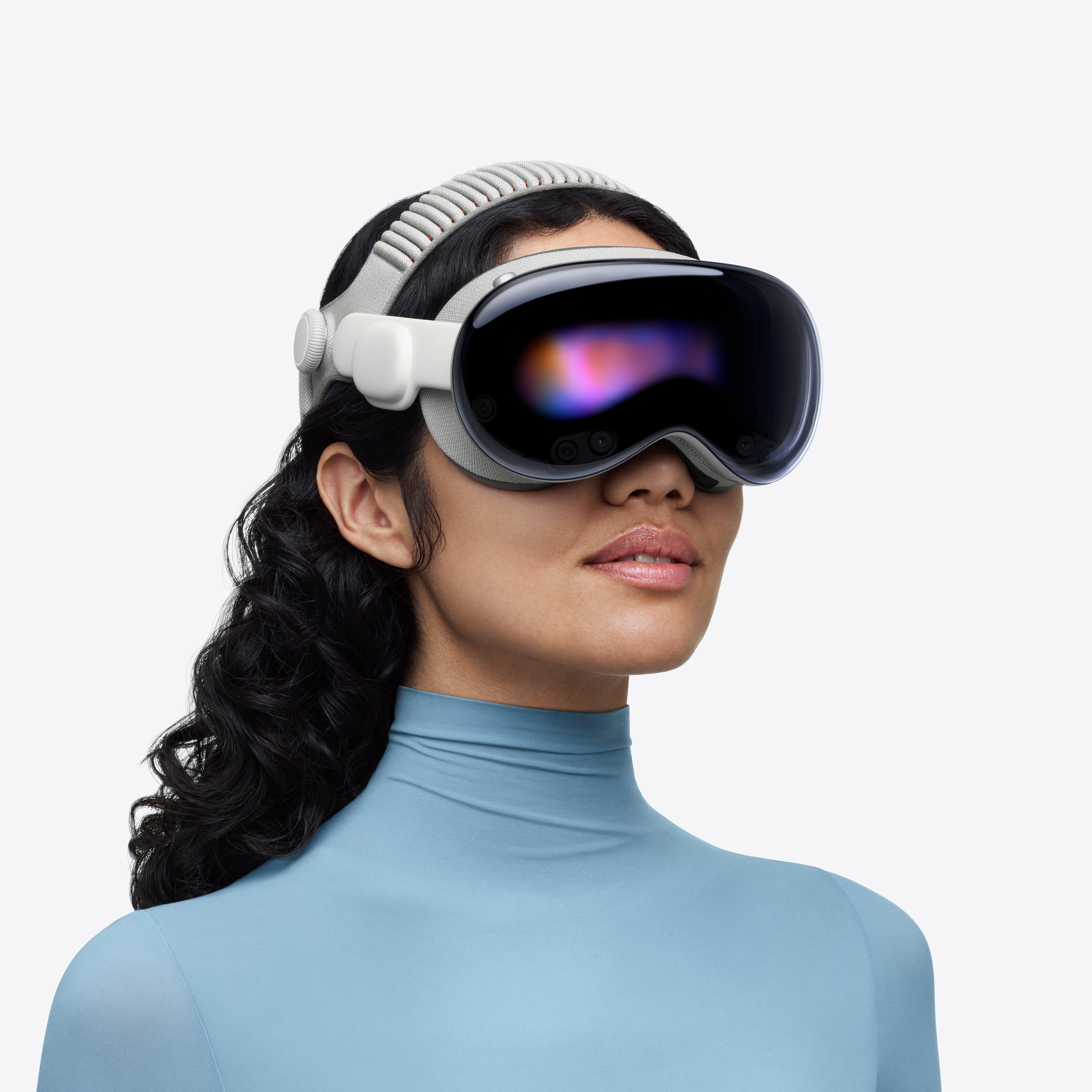
The Apple Vision Pro is honestly in a completely different league when it comes to iPhone integration because, well, it's literally made by Apple. If you own an iPhone 17 and you want the absolute best VR experience that feels like a natural extension of your Apple ecosystem, this is it. It uses your Apple ID automatically, syncs all your iCloud content instantly, lets you take FaceTime calls in VR with your actual face rendered (genuinely wild technology), and even lets you use your iPhone as a Bluetooth trackpad for controlling stuff in VR.
What makes Vision Pro specifically perfect for iPhone users: you can literally AirDrop files between your iPhone 17 and Vision Pro seamlessly, your iMessages appear as floating notifications you can respond to without taking the headset off, your Photos library is instantly available in VR, and apps you've already bought on iOS often work in Vision Pro too (if developers updated them). It's genuinely the most seamless experience possible because Apple controlled the entire ecosystem.
The reality check on price: At $3,499, this is absurdly expensive and not even remotely in most people's budgets. But if you're already deep in the Apple ecosystem with multiple devices and you genuinely want the absolute best VR experience that feels natural with your iPhone, this is it. The build quality is insane, the display is legitimately the best you can get anywhere, and the iPhone integration is flawless because it's all Apple. For most people though, it's just way too expensive to justify.
🍎 Ultimate Apple Ecosystem VR
Check Vision Pro Price →✅ Perfect for iPhone Users
- Seamless Apple ecosystem integration
- Uses your Apple ID and iCloud automatically
- Best display quality in any VR headset
- Eye tracking and hand tracking flawless
- FaceTime calls with digital persona
- Can use iPhone as input device
- Incredible build quality and comfort
- Spatial audio integration perfect
❌ Major Drawbacks
- $3,499 is genuinely absurd pricing
- Limited app library still (growing though)
- Heavy for extended wear sessions
- Battery pack tethered design awkward
- Gaming library basically nonexistent
- Requires perfect lighting conditions
- Can't use with glasses easily
2. Meta Quest 3 — Best All-Around VR for iPhone Users
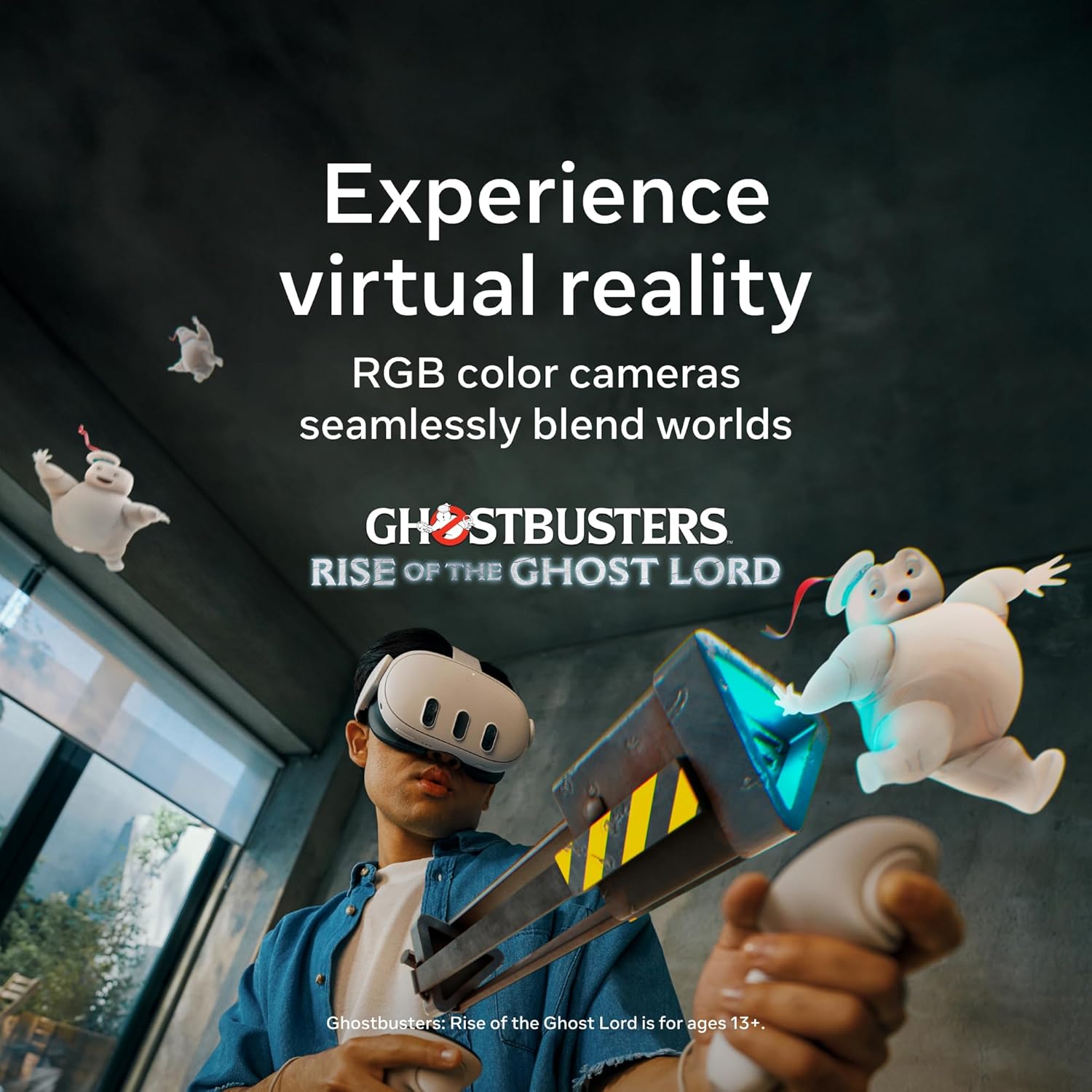
The Meta Quest 3 is honestly the best balance of price, performance, and iPhone compatibility for most people. It's a standalone VR headset so it doesn't need your iPhone to function at all, but it integrates surprisingly well with iOS through the Meta Quest app. You can browse your iPhone photos in VR, mirror your iPhone screen to a virtual display, and even cast what you're seeing in VR to your iPhone so friends can watch. At $499 it's genuinely affordable compared to Vision Pro while still delivering excellent VR experiences.
What makes Quest 3 work well for iPhone owners: Meta actually put real effort into their iOS app and iPhone integration. You can set up the headset entirely from your iPhone, manage your library of VR apps, buy new content, and even join VR calls with friends who are using their iPhones. The mixed reality passthrough is genuinely good—you can see your real room clearly which makes it way less isolating than older VR headsets. Plus the massive game and app library means you'll never run out of stuff to do.
Why this is the smart choice for most iPhone users: You're getting like 85% of the VR experience quality of Vision Pro for literally 1/7th the price. The iPhone integration isn't quite as seamless (you can't AirDrop directly or anything), but it works totally fine for normal use. Huge app library, decent comfort, and honestly the best value in VR right now if you own an iPhone but don't want to spend $3,500 on Vision Pro.
🎮 Best Value VR Headset
Check Quest 3 Price →✅ Great All-Around
- $499 genuinely affordable pricing
- Huge VR game and app library
- Decent iPhone integration via app
- Excellent mixed reality passthrough
- Wireless PC VR gaming capable
- Good comfort for long sessions
- Can mirror iPhone screen to VR
- Regular software updates from Meta
❌ Limitations
- Not true Apple ecosystem integration
- Lower display quality than Vision Pro
- Meta privacy concerns for some people
- Battery life only 2-3 hours gaming
- Needs Meta account (can't use Apple ID)
- Facial interface gets sweaty quickly
- Controllers required (no pure hand tracking)
3. Meta Quest 3S — Best Budget VR for iPhone Owners
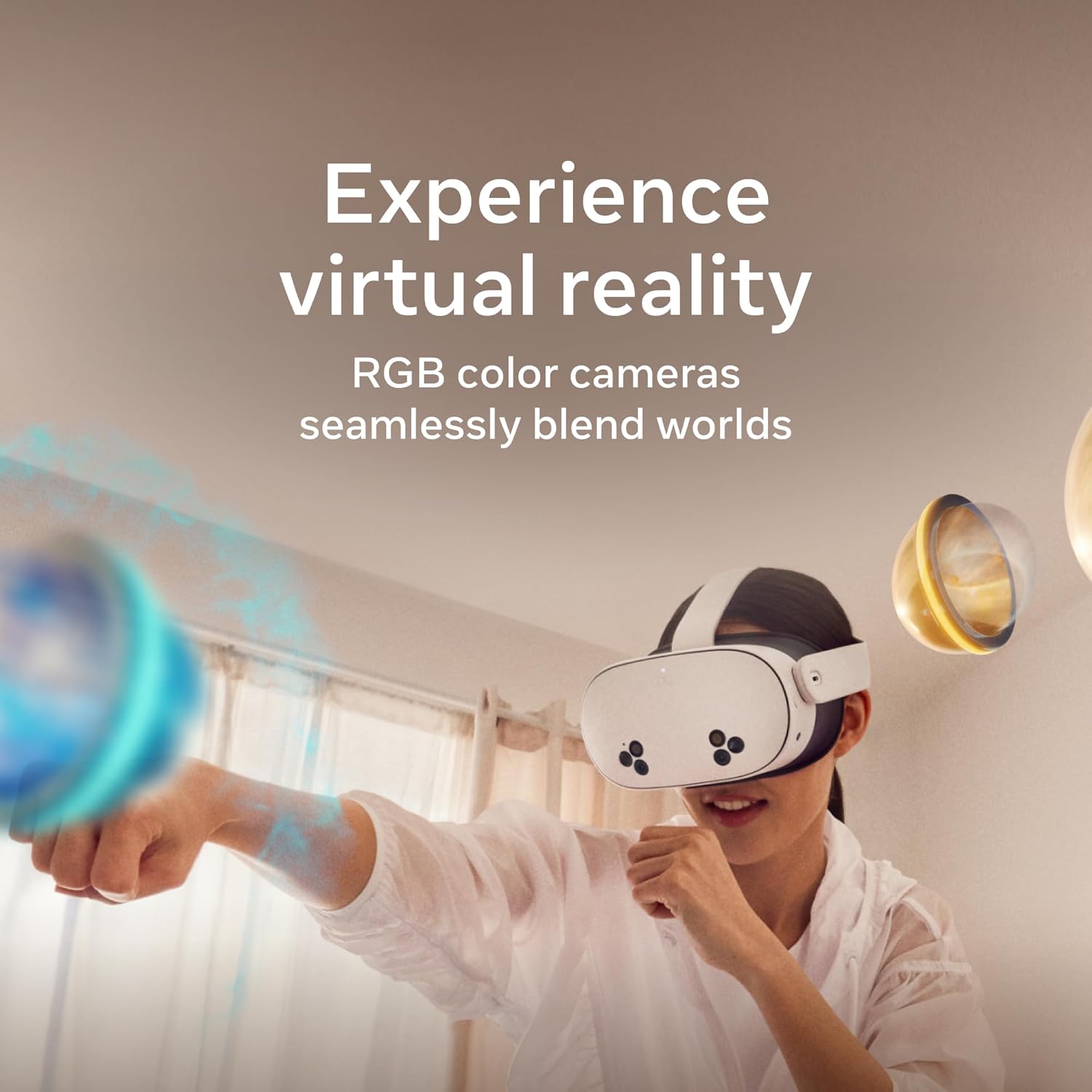
The Meta Quest 3S is basically a more affordable version of the Quest 3, and honestly it's perfect if you want to try VR without spending $500+. At $299 it's genuinely cheap for what you're getting—a full standalone VR headset with decent specs, access to the entire Quest app library, and the same iPhone integration features as the more expensive Quest 3. The main compromises are slightly lower resolution displays and older lens technology, but for most people those differences aren't deal-breakers at all.
What makes Quest 3S work for budget-conscious iPhone users: you're getting basically the same iPhone compatibility as Quest 3 (same Meta Quest iOS app, same screen mirroring, same setup process), but saving $200. If you're not sure whether you'll actually use VR that much, starting with this cheaper option makes way more sense than dropping $500 on Quest 3 or god forbid $3,500 on Vision Pro. You can always upgrade later if you end up loving VR.
The honest assessment: This isn't the absolute best VR experience—displays aren't as sharp, lenses have more glare, and comfort is slightly worse than Quest 3. But at $299 you're getting genuinely good VR that works fine with your iPhone for normal use. If budget is your main concern and you still want decent quality, this is absolutely the way to go. Plays all the same games as Quest 3 which is huge.
💰 Budget-Friendly VR
Check Quest 3S Price →✅ Budget Champion
- $299 incredibly affordable for VR
- Same app library as Quest 3
- Same iPhone integration features
- Standalone doesn't need phone or PC
- Good entry point to VR
- Decent mixed reality passthrough
- Wireless and portable design
- Regular Meta software updates
❌ Budget Compromises
- Lower resolution displays than Quest 3
- Older lens tech (more glare)
- Less comfortable facial interface
- Not true Apple ecosystem device
- Battery life slightly worse
- Storage might feel limiting (128GB only)
- Build quality feels cheaper
4. PlayStation VR2 — Best If You Have a PS5 and iPhone

Okay so PlayStation VR2 is a bit different because it's specifically designed for PS5 gaming, but if you own both a PS5 and an iPhone 17, it's actually a really solid option for VR gaming specifically. It doesn't integrate directly with your iPhone at all—it's purely a PS5 accessory. But the PlayStation app on iPhone lets you manage your PS5 remotely, see friends online, and coordinate gaming sessions. The VR quality itself is genuinely excellent with gorgeous OLED displays and really impressive haptic feedback in the headset.
What makes PSVR2 worth considering for iPhone users: if you're already a PlayStation gamer with a PS5 and you happen to own an iPhone, this gives you access to some genuinely exclusive VR games you can't get anywhere else. Games like Horizon Call of the Mountain and Resident Evil Village VR are PlayStation exclusives. The iPhone integration is minimal (just the PlayStation app), but the VR experience itself is really high quality. Plus it's cheaper than Vision Pro while delivering better gaming experiences.
The catch: You absolutely need a PS5 to use this at all—it's completely useless without one. It's also wired to your PS5 which means you're tethered and can't just use it anywhere in your house. And there's basically zero actual iPhone integration beyond the PlayStation app. But if you're a PS5 owner who happens to use an iPhone and wants premium VR gaming, this is genuinely excellent for that specific use case.
🎮 Premium PS5 VR Gaming
Check PSVR2 Price →✅ Gaming Excellence
- Gorgeous OLED displays (best colors)
- Exclusive PlayStation VR games
- Excellent haptic feedback features
- Eye tracking for foveated rendering
- Premium build quality feels great
- Simple PS5 setup process
- Growing exclusive game library
- No separate battery to charge
❌ Major Limitations
- Requires PS5 (useless without it)
- Wired connection only (not wireless)
- Zero actual iPhone integration
- Can't use as standalone headset
- Limited to PlayStation ecosystem
- Smaller game library than Quest
- PlayStation app on iPhone is basic
5. HTC Vive XR Elite — Premium Alternative to Vision Pro

The HTC Vive XR Elite is this interesting premium VR headset that sits somewhere between Meta Quest 3 and Apple Vision Pro in terms of price and features. At $1,099 it's way cheaper than Vision Pro but still legitimately expensive. It's a standalone headset that also works wirelessly with PC VR, has decent mixed reality passthrough, and actually has surprisingly okay iPhone integration through the Vive app. Not as seamless as Vision Pro obviously, but way better than you'd expect from a non-Apple device.
What makes Vive XR Elite interesting for iPhone users: the build quality feels genuinely premium (like an Apple product honestly), it's got a unique form factor that's more glasses-like than other headsets, and the Vive app for iPhone is actually pretty well-designed for managing your VR content. You can browse the Vive store on your iPhone, buy apps, and even stream what you're seeing in VR to your iPhone screen. It's not perfect but it's definitely more iPhone-friendly than most non-Apple VR headsets.
Who this is actually for: If you want something premium and well-built but you can't justify $3,499 for Vision Pro, this is genuinely the next best option for iPhone users who want quality. The app library is smaller than Quest though, and at $1,099 you're paying a hefty premium for build quality and mixed reality features. Only makes sense if you really value premium materials and are willing to pay for them.
✨ Premium VR Alternative
Check Vive XR Elite Price →✅ Premium Features
- Premium build quality and materials
- Unique glasses-like form factor
- Standalone and PC VR capable
- Decent iPhone app integration
- Mixed reality passthrough good
- Comfortable for long sessions
- High resolution displays
- Wireless PC VR streaming works
❌ Expensive Drawbacks
- $649 genuinely expensive
- Much smaller app library than Quest
- Battery life only 2 hours max
- Not true Apple ecosystem device
- Vive store apps more expensive
- Setup more complex than Quest
- Limited gaming library compared to Quest
VR Headsets Comparison Table
| Headset | Price | iPhone Integration | Best For |
|---|---|---|---|
| Apple Vision Pro | $3,499 | Perfect (native Apple) | Ultimate ecosystem integration |
| Meta Quest 3 | $449 | Good (via Meta app) | Best overall value |
| Meta Quest 3S | $299 | Good (via Meta app) | Budget VR gaming |
| PlayStation VR2 | $349 | Minimal (PS app only) | PS5 gaming exclusives |
| HTC Vive XR Elite | $649 | Decent (Vive app) | Premium alternative |
Buying Tips for iPhone Users Getting VR (Stuff Nobody Tells You)
💡 Critical Tips
1. Don't expect native iOS apps to work in VR automatically. Just because you bought an app on your iPhone doesn't mean it'll work in any VR headset except Vision Pro. Each VR platform has its own separate app store and you'll need to buy VR versions of apps separately. Only Vision Pro uses your Apple ID and shares purchases with iOS (sometimes).
2. iCloud photo access varies wildly between headsets. Vision Pro: perfect instant access. Quest 3/3S: you can use the Meta browser to access iCloud web but it's clunky. PSVR2: basically no photo integration at all. If sharing iPhone photos in VR matters to you, this is genuinely important to consider before buying.
3. Your AirPods work differently with each VR headset. Vision Pro: seamless automatic switching like any Apple device. Quest 3/3S: works via Bluetooth but you lose spatial audio features. PSVR2: doesn't work at all, you need PlayStation headphones. If you rely on AirPods heavily, Vision Pro or Quest are your only real options.
4. FaceTime and iMessage integration is basically Vision Pro exclusive. You can't take FaceTime calls in Quest or PSVR2 VR. Vision Pro lets you take calls with a rendered digital version of your face which is honestly incredible. If staying connected while in VR matters, only Vision Pro really handles this properly for iPhone users.
5. Screen mirroring quality from iPhone to VR headset is really inconsistent. Quest 3 can mirror your iPhone screen but it's laggy and low quality. Vision Pro makes your iPhone screen appear as a crisp virtual display. PSVR2 can't do it at all. If you want to watch iPhone content in VR regularly, Vision Pro is genuinely your only good option.
6. Hand tracking versus controller preference matters for iPhone users. Vision Pro uses pure hand and eye tracking (no controllers at all) which feels very Apple-like and intuitive. Quest headsets need controllers for most games but have basic hand tracking. If you hate carrying controllers and want that Apple simplicity, Vision Pro's approach is genuinely better.
7. VR fitness apps work great but don't sync with Apple Health automatically. You can play Beat Saber or other fitness VR games, but they don't automatically log workouts to Apple Health except on Vision Pro. Quest requires manual export/import which is annoying. If you want VR workouts to count toward your Activity rings, this matters.
8. Consider your existing entertainment subscriptions. Have Apple TV+? Works natively in Vision Pro, awkward browser experience in Quest. Have Netflix? Works okay in all headsets but best in Vision Pro. Your existing Apple subscriptions are just way more useful in Vision Pro than other headsets.
9. Prescription lens inserts are genuinely worth it if you wear glasses. All these headsets offer prescription lens inserts ($80-150 usually). They're expensive but way more comfortable than wearing glasses under the headset. Vision Pro requires Apple's official ones, Quest has third-party options that are way cheaper.
10. Used VR headsets can be risky with iPhone integration features. Quest headsets sold used might have the previous owner's Meta account issues. Vision Pro requires full factory reset which sellers sometimes don't do properly. Buy new or from very reputable sellers if iPhone integration is important to you.
Which VR Headset Actually Makes Sense for Your Situation
🍎 Best for Apple Ecosystem Fanatics
Get: Apple Vision Pro
Why: If you own iPhone, iPad, Mac, AirPods, Apple Watch and want VR that feels like a natural Apple product with perfect ecosystem integration, nothing else comes close to Vision Pro despite the insane price
💰 Best for Budget-Conscious iPhone Users
Get: Meta Quest 3S
Why: At $299 you get genuinely capable VR that works fine with iPhone via the Meta app, huge game library, and you're not breaking the bank to try VR for the first time
🎮 Best for VR Gaming
Get: Meta Quest 3
Why: Massive game library, better displays than Quest 3S, works well enough with iPhone for normal integration, and way more affordable than Vision Pro while still delivering excellent gaming experiences
🎯 Best Overall Value
Get: Meta Quest 3
Why: Perfect balance of price ($499), performance, iPhone integration that works well enough, and huge content library makes this the smart choice for most iPhone users who want quality VR
🔥 Best for PS5 Owners
Get: PlayStation VR2
Why: If you already own a PS5 and iPhone, PSVR2 gives you access to exclusive VR games with gorgeous OLED displays, even though iPhone integration is basically nonexistent
Questions iPhone Users Actually Ask About VR Headsets
Q: Can I plug my iPhone 17 directly into a VR headset?
A: Not really, no. Modern VR headsets in 2026 are standalone devices with their own processors and don't need to plug into your iPhone physically. The old Google Cardboard-style phone holders where you literally inserted your phone are basically obsolete now. What matters is wireless integration—how well the VR headset syncs with your iPhone wirelessly for things like photo access, app mirroring, and ecosystem features.
Q: Will my iPhone apps work in VR headsets?
A: Only in Apple Vision Pro. Regular iPhone apps don't automatically work in other VR headsets like Meta Quest or PlayStation VR2. Vision Pro can run some iPad apps in a virtual window, but most apps need to be specifically updated for VR by their developers. Quest and PSVR2 have completely separate app stores with no connection to your iOS purchases.
Q: Which VR headset has the best iPhone integration?
A: Apple Vision Pro by far—it's literally designed by Apple for the Apple ecosystem. It uses your Apple ID, syncs iCloud automatically, lets you take FaceTime calls, works seamlessly with AirPods, and feels like a natural Apple product. Meta Quest 3/3S have decent iPhone integration through the Meta app but nothing close to Vision Pro's seamless experience. PSVR2 has basically no iPhone integration at all.
Q: Can I watch my iPhone videos and photos in VR?
A: Yes but the experience varies wildly. Vision Pro: perfect instant access to your entire iCloud Photos library in gorgeous quality. Meta Quest 3/3S: you can access iCloud Photos through the web browser but it's clunky and not great. PSVR2: basically no easy way to access iPhone photos at all. If this is important to you, Vision Pro or Quest are your only real options.
Q: Do I need a PC or console to use VR with my iPhone?
A: Depends on the headset. Vision Pro, Meta Quest 3, and Quest 3S are all standalone—they work completely independently without needing your iPhone, a PC, or anything else. PSVR2 requires a PlayStation 5 to function at all. Some headsets like Quest 3 can optionally connect to a gaming PC for PC VR games, but they work fine standalone without it.
Q: Will AirPods work with VR headsets?
A: Vision Pro: yes perfectly with seamless switching. Meta Quest 3/3S: yes via Bluetooth but you lose spatial audio features and it's not as seamless. PlayStation VR2: no, AirPods don't work at all, you need PlayStation-branded headphones or the built-in headphone jack. If you rely on AirPods, Vision Pro is genuinely the only one where they work as well as they do with your iPhone.
Q: Is VR comfortable to wear for long sessions?
A: Depends hugely on the headset and your head shape. Vision Pro is heavy but well-balanced with the battery pack. Quest 3 is lighter but can feel front-heavy after an hour. Quest 3S is less comfortable than Quest 3. PSVR2 has good weight distribution but the cable is annoying. Most people need breaks every 30-60 minutes regardless of which headset. Comfort is super individual—try before buying if possible.
Q: Should iPhone users get Vision Pro or save money with Meta Quest?
A: Honest answer: most people should get Meta Quest 3 ($499) or Quest 3S ($299) unless money genuinely isn't a concern. Vision Pro at $3,499 is incredible but absurdly expensive for what most people will actually use it for. The Quest ecosystem has way more games and content, and the iPhone integration through the Meta app works fine for normal use. Only get Vision Pro if you're deeply embedded in Apple ecosystem and genuinely want the absolute best regardless of price.
Final Thoughts on VR for iPhone Users
Look, the whole "VR headset for iPhone" thing is honestly way more complicated than it should be. Apple Vision Pro is legitimately the most iPhone-integrated VR experience possible and it's genuinely incredible if you can afford it, but let's be real—$3,499 is completely absurd pricing that most normal people can't justify spending on what's basically a fancy entertainment device.
For most iPhone users, the Meta Quest 3 at $499 is honestly the smart move. Yeah, it's not made by Apple and the ecosystem integration isn't perfect, but it works totally fine with your iPhone through the Meta app, has a genuinely massive library of games and apps, and costs literally 1/7th the price of Vision Pro. You're getting like 85% of the VR experience for a tiny fraction of the cost, which is just way better value for normal people.
And if even $499 feels like too much to spend on trying VR, the Meta Quest 3S at $299 is genuinely a great entry point. You're sacrificing some display quality and comfort, but you're still getting the full Quest ecosystem and decent iPhone integration. It's perfect for figuring out if you actually like VR before committing serious money.
The honest truth: unless you're absolutely loaded and deeply committed to the Apple ecosystem, skip Vision Pro for now. Get a Quest 3 or Quest 3S, enjoy the massive content library, and see how much you actually use VR over the next year. If you end up using it constantly and loving it, maybe consider upgrading to Vision Pro when they inevitably release a cheaper model in a year or two. But for most iPhone users reading this, Quest 3 is genuinely the right answer right now in 2026.
🥽 Ready to Experience VR?
Start with Meta Quest 3 for the best balance of quality and value
Shop VR Headsets on Amazon →


No comments:
Post a Comment