ChatGPT for Students in 2026: Study Smarter (Not Just Cheat Smarter)

📚 ChatGPT Student Starter Guide (Steal This)
- ✓ Learn with it, don't outsource to it — ask it to explain things, not write your stuff
- ✓ ChatGPT Plus is twenty bucks a month — worth it if your grades actually matter to you
- ✓ It lies sometimes, casually and confidently — always double-check citations and statistics
- ✓ Best uses: breaking down confusing concepts, practice quizzes, essay brainstorming, decoding professor feedback
- ✓ Right gear matters: good laptop plus noise-canceling headphones genuinely transforms how long you can focus
⚡ No Time? Here's What to Get
What Students Are Actually Doing with ChatGPT (The Stuff That Works)
Before I get into product picks, let me talk about how this actually works in practice — because there's a lot of noise out there. Half the takes are "use ChatGPT to do all your schoolwork" (terrible idea, you learn nothing, you get caught) and the other half are "AI is just cheating" (not useful either). The real answer is way more interesting and actually kind of exciting once you get it.
The Midnight Tutor Thing
This is genuinely the best use case and nobody questions it. You're stuck on something at 11pm. Your professor isn't responding. Your TA's phone is off. You've read the same paragraph six times and it still makes no sense. ChatGPT is just... there. And it won't sigh at your question. It won't make you feel dumb for not getting it. You ask it to explain something three different ways until one of them clicks? Fine. Ask it to use a stupid analogy involving pizza? Also fine.
It's like having a tutor who has infinite patience and zero judgment. For students who feel embarrassed asking "dumb questions" in office hours (which, let's be honest, is most of us), this is kind of huge.
Study Guides and Practice Questions
Okay this one's just a time saver. Paste your lecture notes in, ask it to make a study guide. Ask it to write 15 practice multiple choice questions. Tell it to quiz you and then explain what you got wrong. That used to take hours to do manually. Now it takes like eight minutes. Completely legitimate, helps you actually learn faster.
The Brainstorming Partner
Staring at a blank document for 45 minutes because you can't figure out your essay angle? Tell ChatGPT your assignment prompt and ask for ten possible thesis directions you could take. You pick one. You develop it. You write the essay. ChatGPT just helped you get unstuck — it didn't write anything. That's brainstorming. Everyone brainstorms with other people. This is no different.
Decoding Academic Papers
Oh my god this one. Research papers are written in a language that is technically English but reads like it's trying to keep normal people out. You paste an abstract or a confusing methodology section into ChatGPT and ask "what are these authors actually saying in plain English" and suddenly you understand the paper. Life-changing for anyone doing research or lit reviews.
🎓 Worth knowing: ChatGPT Plus ($20/month) is noticeably better for students than the free version — faster, handles longer texts (you can paste entire chapters), and the o1 model is way sharper at math and science reasoning. Check if your university provides it free first though. According to OpenAI's education page, a lot of schools are adding ChatGPT Edu to their official tools and students don't know about it. Worth a five-minute search before you pay.
The Study Gear That Actually Makes a Difference
ChatGPT is free or $20/month. The gear below is what makes using it (and studying in general) not miserable. I'm only including stuff that genuinely changes how you work — not "nice to have" fluff.
1. Apple MacBook Air M4 — Best Laptop for Students Using AI Tools

I know. $849 sounds like a lot. I know that. But here's the thing I've watched play out in real life — students who bought cheap $450 Windows laptops spend a semester dealing with lag, random shutdowns, battery that dies in three hours, and fans that sound like a hair dryer during finals. That constant friction adds up. You're already stressed. Your laptop shouldn't be adding to it.
The M4 MacBook Air doesn't have a fan. Completely silent. It runs cool even when you've got ChatGPT open in one tab, a Zoom lecture in another, Spotify going, and twelve readings pulled up. Battery life is 18 hours in real-world use — not the "we tested it watching static images" marketing number. Actual 18 hours of mixed use. That means one charge gets you through a full day of class, library, coffee shop, and late-night study session. You stop thinking about finding outlets.
For ChatGPT use specifically — browser-based AI runs smooth, dictation works great if you want to ask questions by voice while reading, and the keyboard is comfortable enough for typing long prompts or papers at midnight without your fingers hating you by 2am.
Base model (16GB RAM, 256GB) handles everything most students need. If you do any video editing or heavy design work, spend the extra $200 for 24GB RAM.
🏆 The Laptop That Won't Let You Down at Midnight
Check MacBook Air Price →✅ Why It's Worth It
- 18 hours battery (actually real-world)
- No fan — completely silent in libraries
- Handles everything without slowing down
- 2.7 lbs — barely notice it in your bag
- macOS doesn't randomly crash or update at 11pm
- Screen is genuinely beautiful
- Keyboard is a joy to type on for hours
- Holds resale value better than anything
❌ Fair Complaints
- $849 hurts if you're on a tight budget
- Only 2 USB-C ports (you'll need a hub)
- 256GB fills up faster than you'd think
- No touchscreen (some people really want that)
- Gaming is really not what this is for
2. Sony WH-1000XM5 — The Noise-Canceling Headphones That Actually Work

Here's something nobody puts in study guides: where you study matters almost as much as how you study. And most student environments are loud. Dorm rooms. Open-plan libraries. Coffee shops with aggressive espresso machines. That one guy in every study hall who types like he's personally mad at his keyboard.
The Sony XM5s block it all out. Not "reduce it a bit" — actually block it. Put these on in a crowded café and you're suddenly in a quiet room. It's still weird to me how well they work. I've tested probably a dozen noise-canceling headphones and nothing touches these for pure distraction elimination.
For using ChatGPT specifically — voice input is way faster than typing when you're working through confusing material. These have a great mic, so speaking your questions and getting spoken responses (ChatGPT has a voice mode now) actually works really well as a study workflow. Plus 30-hour battery means you're charging them twice a week, not twice a day.
The multipoint connection thing is underrated — you can connect to your laptop and phone simultaneously and switch between them without disconnecting and reconnecting. Small thing but genuinely useful when you're jumping between devices constantly.
🎧 Your Dorm Roommate Will Thank You Too
Get Sony XM5 on Amazon →✅ The Good Stuff
- Best noise cancellation you can buy right now
- 30 hours battery on one charge
- Connects to laptop and phone at the same time
- Great mic for voice ChatGPT sessions
- Comfortable for 4+ hour study sessions
- Auto-pauses when you start talking (speak-to-chat)
- Folds up for your backpack
- Works wired if battery dies mid-study
❌ The Not-So-Good
- $350 is real money
- Doesn't fold as flat as the older XM4
- Touch controls are finicky until you learn them
- Gets warm after 3+ hours (over-ear thing)
- You'll stress about losing $279 headphones
3. Apple iPad 11-inch: A16 chip — Best AI Study Companion

The iPad doesn't replace your laptop. Get that expectation out of your head right now. But as a second device it's kind of perfect and I genuinely use mine different from how I expected to when I bought it.
My actual setup: laptop open with whatever I'm working on, iPad sitting right next to it with ChatGPT open. I ask questions on the iPad without interrupting my work on the laptop. No alt-tabbing, no losing my place. Just two screens, two tasks. It sounds minor but it removes so much friction from the study-with-AI workflow.
The ChatGPT iOS app is also just better than using it in a browser. Cleaner, faster, and the voice input is excellent — you can literally talk to it while walking between classes or during a commute and it works great. For annotating PDFs and textbooks, nothing beats writing on the screen with an Apple Pencil. Way better than typing notes in the margins.
At $329 the iPad 11-inch: A16 is Apple's most affordable iPad and it genuinely does everything students need. USB-C charging means one cable type for both your laptop and iPad. The front camera is actually good now, which matters if you're doing video calls or scanning documents.
📱 ChatGPT in Your Hand Anywhere
See iPad Price →✅ Student Sweet Spot
- ChatGPT app is noticeably better than browser
- Voice input for hands-free AI questions
- PDF annotation is genuinely great
- 11" screen reads textbooks really well
- USB-C (same charger as most MacBooks)
- Apple Pencil support for math/diagrams
- 10-hour real battery life
- Cheapest iPad ($329)
❌ Real Limits
- iPadOS still frustrating for actual writing work
- Apple Pencil is separate ($79-$129 more)
- Won't replace your laptop for real work
- 128GB base fills up faster than expected
- Smart keyboard folio is another $250 if you want it
4. Logitech MX Keys S — Because You Type More Than You Think

This one sounds boring until you've actually used it. Here's the thing — if you're really using ChatGPT for studying, you type a lot. Like, a lot a lot. Long prompts explaining your confusion. Essay outlines. Questions. Follow-up questions. Notes from responses. Your laptop keyboard is fine but if you're sitting at a desk for three or four hour stretches, an external keyboard is genuinely better for your hands and your pace.
The MX Keys S has these little curved keys that match the shape of your fingertip. Sounds like a gimmick. It's not. You type faster and more accurately, and after a long session your fingers feel less beat-up. The backlighting is smart — it senses when your hands are near and lights up, then dims when you step away. Battery lasts five months without backlighting, ten days with. Both are fine.
Best student-specific feature: it connects to three devices and you switch between them with a button. Laptop, iPad, and phone all connected at once. If you're writing on your laptop and want to quickly answer something on your iPad, you just press the button. No Bluetooth disconnecting and reconnecting drama.
⌨️ Your Wrists Will Thank You
Check MX Keys S Price →✅ Why It's Good
- Curved keys feel genuinely better to type on
- Three-device switching (laptop, iPad, phone)
- Smart backlighting that doesn't drain battery
- Both Mac and Windows labeled (works on either)
- USB-C charging
- Premium solid feel without being heavy
- Logitech Flow (type across two computers) is wild
❌ Complaints
- $119 is more than "just a keyboard" prices
- Not mechanical if that's what you prefer
- Full-size only, no compact version
- Numpad makes it wider than some desks want
- Needs Bluetooth or the USB receiver
5. Kindle Paperwhite — Read Better, Understand More

Here's a study workflow I genuinely swear by and barely anyone talks about: read on Kindle, ask ChatGPT to explain what you just read. Sounds simple. It kind of changed how I get through dense academic reading.
You're reading an assigned chapter. Something doesn't click — a concept, an argument, a weird reference you don't understand. Highlight it on the Kindle. Type it into ChatGPT on your phone or laptop. Ask "what does this actually mean and why does it matter." Then keep reading. Instead of spending 20 minutes rereading the same paragraph hoping it'll make sense, you spend 90 seconds getting an explanation and move on. The comprehension compounds.
The 2024 Paperwhite specifically is really nice. The 300ppi display genuinely looks like paper — your eyes don't tire out the way they do with a backlit screen. Warm light mode is great for reading before bed without completely wrecking your sleep. Battery lasts weeks, not hours. And it's lighter than a single textbook while holding your entire course reading list.
📖 Your Whole Reading List in One Hand
Get Kindle Paperwhite →✅ Reading Upgrade
- Doesn't hurt your eyes after hours of reading
- Battery lasts weeks seriously
- Warm light for reading before bed
- Entire reading list in something lighter than a notebook
- Highlights sync to cloud (actually useful for studying)
- Waterproof somehow
- 300ppi looks like actual paper
❌ Limitations
- Amazon's ecosystem only (no ePub)
- Can't run ChatGPT on the Kindle itself
- Black and white — no color
- Some textbooks are expensive in Kindle format
- Typing notes is slow
6. LEVOIT Core 300-P — The Weird Productivity Upgrade Nobody Recommends

Okay I know. An air purifier in a ChatGPT study guide. Bear with me for thirty seconds.
There's actual research (not AI-generated) showing that air quality affects how well you think — memory, concentration, reaction time. Dorm rooms are notoriously bad for this. They're small, they're not well-ventilated, there's usually a lot of people and stuff packed in, and the air quality just kind of quietly suffers.
I started using the LEVOIT Core 300S kind of skeptically and noticed fewer headaches during long study sessions within a week. Could be placebo. But the thing runs quietly (24 decibels on low — genuinely quieter than a whisper), fits on a desk without taking up much space, and cleans the air in a small room in like 12 minutes. At $99 it's honestly one of the better bang-for-buck upgrades for your study environment that's completely ignored in every "best study gear" list.
App lets you check air quality in real time, set schedules, and control it from across the room. Works with Alexa if you're into that. Replacement filters are cheap. The whole thing just quietly does its job.
🌿 Breathe Better, Think Clearer
Grab LEVOIT Core 300S →✅ Sneaky Good
- 24 dB on low — quieter than a whisper
- Small enough for any desk or shelf
- Cleans small room air in ~12 minutes
- App with real-time air quality monitor
- Works with Alexa
- $99 is genuinely affordable
- Replacement filters are cheap
❌ Cons
- Filters need swapping every 6-8 months
- Need the app for the smart features
- Can't use essential oils or diffusers with it
7. BenQ ScreenBar Halo 2 — For Everyone Who Studies at Night (So, Everyone)
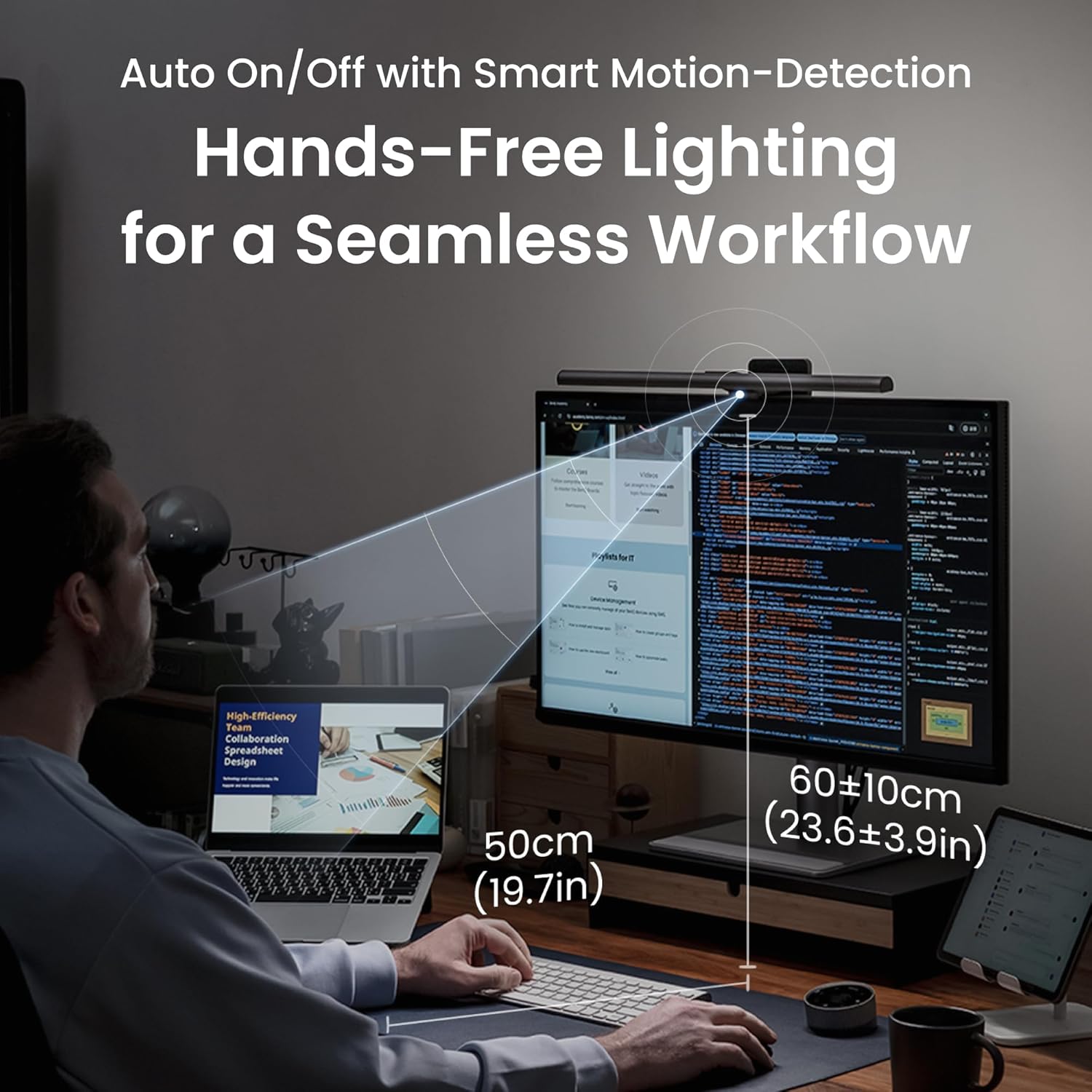
Late-night study sessions just happen. Whether you planned them or procrastinated into them (no judgment, same), you're sitting at a screen in a dark room and your eyes are slowly hating you more and more as the night goes on.
The ScreenBar Halo 2 clips to the back of your monitor and does something kind of clever — it lights your desk but not your screen. So your keyboard, your notes, your textbook — all lit up clearly. Your monitor? Zero glare from the light because it's designed specifically to avoid it. And the back glow feature throws soft light on the wall behind your monitor, which reduces that harsh contrast between bright screen and dark room that's responsible for so much eye strain.
There's a little sensor that detects ambient light and adjusts brightness automatically. Wireless controller you just set anywhere on your desk. Honestly after one week of using this I can't study at night without it — the difference in how my eyes feel after a 2am session is real. At $109 it's not cheap for a light, but if you regularly pull long nights it pays for itself in prevented headaches.
💡 Stop Wrecking Your Eyes After Midnight
Check ScreenBar Halo 2 Price →✅ Night Owl Essential
- Lights your desk without glaring on your screen
- Back glow reduces harsh contrast eye strain
- Auto-adjusts to ambient light levels
- Wireless desk controller is convenient
- Clips to any standard monitor easily
- Color temperature adjustment
- USB-A powered (usually through your monitor)
❌ Issues
- $159 is a lot for a light honestly
- Only clips to monitors — laptop users need a stand first
- Curved monitors can be tricky
- Wireless controller battery needs occasional charging
Quick Comparison
| Product | Price | Category | Best Feature | Best For |
|---|---|---|---|---|
| MacBook Air M4 | $899 | Laptop | 18-hr real battery | Main device everything |
| Sony WH-1000XM5 | $349 | Headphone | Best ANC period | Focusing anywhere noisy |
| iPad 11-inch: A16 | $329 | Tablet | ChatGPT app + voice | Second screen / mobile AI |
| Logitech MX Keys S | $119 | Keyboard | 3-device switching | Long typing sessions |
| Kindle Paperwhite | $159 | E-reader | Zero eye strain | Reading with AI on the side |
| LEVOIT Core 300-P | $99 | Air Purifier | Whisper quiet + smart | Better study environment |
| BenQ Halo 2 | $179 | Desk Light | Zero screen glare | All the night studiers |
Real ChatGPT Student Tips (The Stuff Nobody Writes About)
💡 Things I Wish Someone Had Told Me
1. ChatGPT lies confidently. Like, really confidently. It's called hallucination and it happens way more than the AI companies want to admit. Dates, citations, statistics, quotes from specific books — it will invent them and present them like they're facts. Never cite anything from ChatGPT without verifying it somewhere real first. Especially for academic work. This isn't a small caveat, it's the main thing you need to know.
2. How you ask determines everything about the answer you get. "Explain supply and demand" gets you a textbook paragraph. "Explain supply and demand like I'm a smart high schooler who keeps confusing demand shifts with supply shifts, and give me a concrete real-world example" gets you something actually useful. The more specific and honest you are about your level and what's confusing you, the better the response.
3. Use it to decode professor feedback. Got a paper back covered in comments you don't understand? Paste the feedback directly into ChatGPT and ask "what does this feedback mean and specifically how should I address it in my revision?" This is one of the most useful things you can do with it and there's zero academic integrity concern. Zero.
4. The $20/month is worth it for serious students. I know it sounds annoying to pay monthly for something that has a free version. But the free tier throttles you during busy times, handles shorter texts, and gives you older model responses. ChatGPT Plus with o1 is genuinely noticeably smarter — especially for math, science, and anything that requires logical reasoning. If your grade in a class depends on understanding complex material, $20 is less than one hour of tutoring.
5. Voice mode is underused and kind of great. Instead of typing everything, just talk to it while you're reviewing notes. Something like "I've got a macro exam tomorrow on GDP and fiscal policy. Start quizzing me and explain what I get wrong." Way faster than typing, and it weirdly feels more like an actual study session than typing does.
6. Find what works and write it down. When you land on a prompt format that gets you really good explanations or practice questions, save it somewhere. Having templates like "I'm a [year] [major] student who's confused about [topic]. Explain it at [level] and use a non-obvious analogy" means you're not reinventing the wheel every session.
7. It doesn't know recent stuff. ChatGPT has a training cutoff. Anything in the news from the past year or so, recent research publications, current events — it either doesn't know or gets wrong. For anything time-sensitive, go to actual news sources. Don't ask ChatGPT "what happened with [recent thing]" for coursework.
8. Practice interviews and presentations with it. "I've got a marketing internship interview in three days. Act as a tough interviewer and ask me hard questions. After each answer, tell me what was weak about it." Or "I'm presenting on climate policy and I'm nervous about Q&A — what are the hardest questions someone might ask?" Both of these are genuinely useful preparation that has nothing to do with academic integrity.
9. Ask it what you don't know that you don't know. After studying something, describe your understanding to ChatGPT and ask it to find the gaps. "Here's my understanding of how the electoral college works. What am I missing or getting wrong?" This is next-level studying — you're actively hunting for your own blind spots instead of waiting for the exam to find them.
10. Check if your school has it free already. Seriously, before you pay for Plus — check if your university offers Microsoft Copilot through Microsoft 365 (most schools do), Google Gemini access, or ChatGPT Edu. A ton of students are paying $20/month for something their school gives them free and they just never checked.
What to Get Based on Your Situation
📝 If You're in Essay-Heavy Majors (English, History, Poli Sci)
Prioritize: MacBook Air M3 + MX Keys S keyboard
ChatGPT use: Brainstorming thesis angles, understanding dense readings, getting structural feedback on your argument before turning it in
🔢 If You're STEM (Math, Engineering, CS, Bio)
Prioritize: MacBook Air M3 + iPad for handwritten problem work
ChatGPT use: Step-by-step problem walkthroughs, debugging code, explaining proofs from multiple angles until one clicks
📚 If You Have Massive Reading Lists (Law, Med, MBA)
Prioritize: Kindle Paperwhite + Sony XM5
ChatGPT use: Explaining case studies, summarizing what you just read, quizzing yourself on reading material before class
💰 Tight Budget Setup
Get: Kindle Paperwhite ($159) + LEVOIT Air Purifier ($99) + free ChatGPT
Why: Under $260 total, genuinely improves your reading and study environment, and free ChatGPT handles most student use cases just fine
🌙 Night Owl Setup
Prioritize: BenQ ScreenBar Halo + Sony XM5 + Kindle warm light reading
Why: Specifically built for late nights — eliminates eye strain, blocks noise, reading before bed without blue light wrecking your sleep
✈️ Always Moving Setup
Prioritize: MacBook Air M3 + AirPods Pro + iPad for bag notes
Why: Lightest capable combo that handles everything from lecture halls to airport lounges on one charge
CTA Variants
Option 1: "Set Up Your AI Study Space Today"
Option 2: "Compare Prices and Save on Study Gear"
Option 3: "Find Your Perfect Study Setup →"
Questions Students Actually Ask
Q: Is using ChatGPT cheating?
A: Depends entirely on what you do with it. Using ChatGPT to understand concepts, generate practice questions, brainstorm ideas, or decode confusing feedback — that's just using a smart tool. Using it to write your essay and turning that in as yours — yeah, that's academic dishonesty. The real question is: does your final work reflect your own thinking? Your school almost certainly has a specific AI policy by now. Read it. Don't guess.
Q: Is ChatGPT Plus actually worth $20/month for a student?
A: For most students, yeah. Free ChatGPT gets throttled during peak hours, has limits on text length, and gives you weaker model responses. Plus gets you the o1 reasoning model which is measurably better at math and science, handles longer texts (paste whole chapters), and responds consistently fast. At $20/month that's less than one tutoring session. Check if your school has it free first though — seriously, a lot do.
Q: Can professors actually tell if I used ChatGPT?
A: The honest answer is: kinda, sometimes, unreliably. AI detectors like Turnitin's built-in tool and GPTZero exist but they're legitimately imperfect — they flag human writing as AI and miss AI writing regularly. Don't build your strategy around "not getting caught." The much better approach is use ChatGPT to understand material, write in your own voice, and have nothing to hide. You'll learn more and sleep better.
Q: What's actually the best way to use ChatGPT for studying?
A: The things that work best: ask it to explain something confusing in simpler terms, generate practice questions on topics you're studying, quiz you on material and explain what you got wrong, simplify dense academic reading, help you brainstorm essay angles (you still write the essay), and decode professor feedback. All legitimate, all genuinely helpful for learning.
Q: Does ChatGPT actually help with math and science?
A: ChatGPT Plus with the o1 model is really solid for STEM stuff now. It'll walk through calculus problems step by step, explain physics with worked examples, debug code, break down chemistry reactions. The free version is spottier with complex math. For STEM students Plus is especially worth the $20. Just always verify the steps yourself — it occasionally makes dumb arithmetic mistakes while being correct about everything else.
Q: What laptop should I use for ChatGPT?
A: ChatGPT runs in a browser so technically any laptop handles it. What you're really optimizing for is the whole study experience — battery life so you're not hunting outlets, screen quality for long reading sessions, keyboard comfort for lots of typing. MacBook Air M3 wins for most students on all three. If you're on Windows, Lenovo ThinkPad X1 Carbon or Dell XPS 13 are the closest equivalents. Don't cheap out on this — a $400 laptop that lags and dies at 3pm costs you more in wasted time than it saves.
Q: Can I just use ChatGPT on my phone?
A: Yeah, the iPhone and Android apps are actually really good. For quick questions, looking things up mid-reading, or asking something while commuting — the phone is great, especially with voice input. For serious focused study sessions where you're working through complex material or writing, a laptop is better. Most students end up using both: phone for quick stuff, laptop for deep work.
Q: What study accessories actually matter for focus?
A: The stuff that genuinely makes a measurable difference: noise-canceling headphones (single biggest impact on concentration), good desk lighting (BenQ ScreenBar eliminates late-night eye strain), air quality in small dorm rooms (LEVOIT is cheap and real), and a decent external keyboard if you type a lot. The stuff that matters way less than you think: expensive pen sets, complicated organization systems, aesthetic desk setups for Instagram. Basics done well beat fancy done poorly.
The Bottom Line
Here's what I actually think after all of this. ChatGPT is one of the most genuinely useful study tools students have had access to in a long time — but it only works that way if you use it to learn, not to skip the learning.
The students I've seen get the most out of it aren't the ones generating essays. They're the ones treating it like a patient tutor who's available at midnight and doesn't get tired of their questions. Those students understand material better, write papers more confidently (because they actually know what they're talking about), and go into exams less terrified. The ones using it to shortcut the work? They don't learn anything, often get caught, and still don't understand the material when it shows up on the final.
On gear — you really don't need all of it. If budget is real, start with the best laptop you can stretch to (battery life is more important than any spec) and decent noise-canceling headphones. Those two things change your study sessions more than anything else. The Kindle and the air purifier are the sleeper picks that seem random until you try them and notice you're getting through reading faster and headache-free.
Set up well. Use the tools right. Actually do the work. That's it.
📚 Build Your AI Study Setup
Shop Student Study Gear on Amazon →


No comments:
Post a Comment