Best Laptops for Zoom Meetings & Remote Work – Actually Tested (2026)
I spent my first six months working remotely looking like a blurry potato on every Zoom call. My laptop's webcam was from 2017, the mic picked up my neighbor's lawnmower better than my voice, and the battery lasted maybe 90 minutes before I was frantically searching for an outlet mid-presentation.
After one too many "sorry, can you repeat that?" moments and colleagues telling me I looked like I was calling from a witness protection program, I finally upgraded. The difference was night and day—and honestly a little embarrassing that I'd been subjecting people to that for so long.
Over the past three years working fully remote, I've tested probably a dozen laptops for video calls and daily work. Some claimed to be "perfect for remote work" but had webcams that made me look like a haunted painting. Others had amazing specs but died halfway through a standard workday.
This guide covers the laptops that actually work well for remote work and Zoom meetings in 2026—the ones with good webcams, clear mics, batteries that last, and screens that won't destroy your eyes after eight hours of back-to-back calls.
⚡ Quick Picks (Between Meetings)
Best overall: Lenovo ThinkPad X1 Carbon Gen 12 ($1,300-1,700) – best webcam, legendary keyboard, all-day battery
Best for Mac users: MacBook Air M4 ($800-1,300) – silent operation, incredible battery, excellent webcam
Best value: HP EliteBook 840 G11 ($800-1,100) – solid webcam/mic, reliable, way cheaper than ThinkPad
Best budget: ASUS Zenbook 14 OLED ($900-1,100) – good webcam, beautiful screen, actually affordable
Best battery life: Dell Latitude 7450 ($900-1,300) – 15+ hours real use, great for all-day meetings
What Actually Matters for Zoom & Remote Work
💼 The Features That Make or Break Remote Work
Listen, I don't care about benchmark scores or gaming performance. When you're on video calls 4-6 hours a day, here's what actually matters:
Webcam quality is non-negotiable. Minimum 1080p. Ideally with good low-light performance because not everyone has a ring light setup. Your laptop's webcam is how colleagues see you—looking like a pixelated mess doesn't exactly scream "professional."
Microphone that doesn't sound like you're underwater. Good noise cancellation is huge. You need a mic that picks up your voice clearly without broadcasting your dog barking, your kids yelling, or your roommate's loud phone call.
Battery life for a full workday. If you can't get through 8 hours without hunting for outlets, it's not a good remote work laptop. Meetings happen anywhere—coffee shops, coworking spaces, your couch. You need flexibility.
Comfortable keyboard for hours of typing. You're typing emails, Slack messages, documents all day. A terrible keyboard will make you miserable. This matters way more than people realize.
Screen that doesn't hurt your eyes. You're staring at this thing 8+ hours daily. Get something with good brightness (at least 300 nits), anti-glare coating, and ideally 1080p minimum resolution.
Enough performance to not lag during calls. You need to run Zoom/Teams while having Slack, email, browser tabs, and work apps open simultaneously. An Intel i5/Ryzen 5 or better with 16GB RAM is the sweet spot.
WiFi that doesn't drop constantly. WiFi 6 minimum in 2026. Spotty connectivity during client calls is career-limiting.
The Laptops That Don't Suck for Remote Work
1. Lenovo ThinkPad X1 Carbon Gen 12
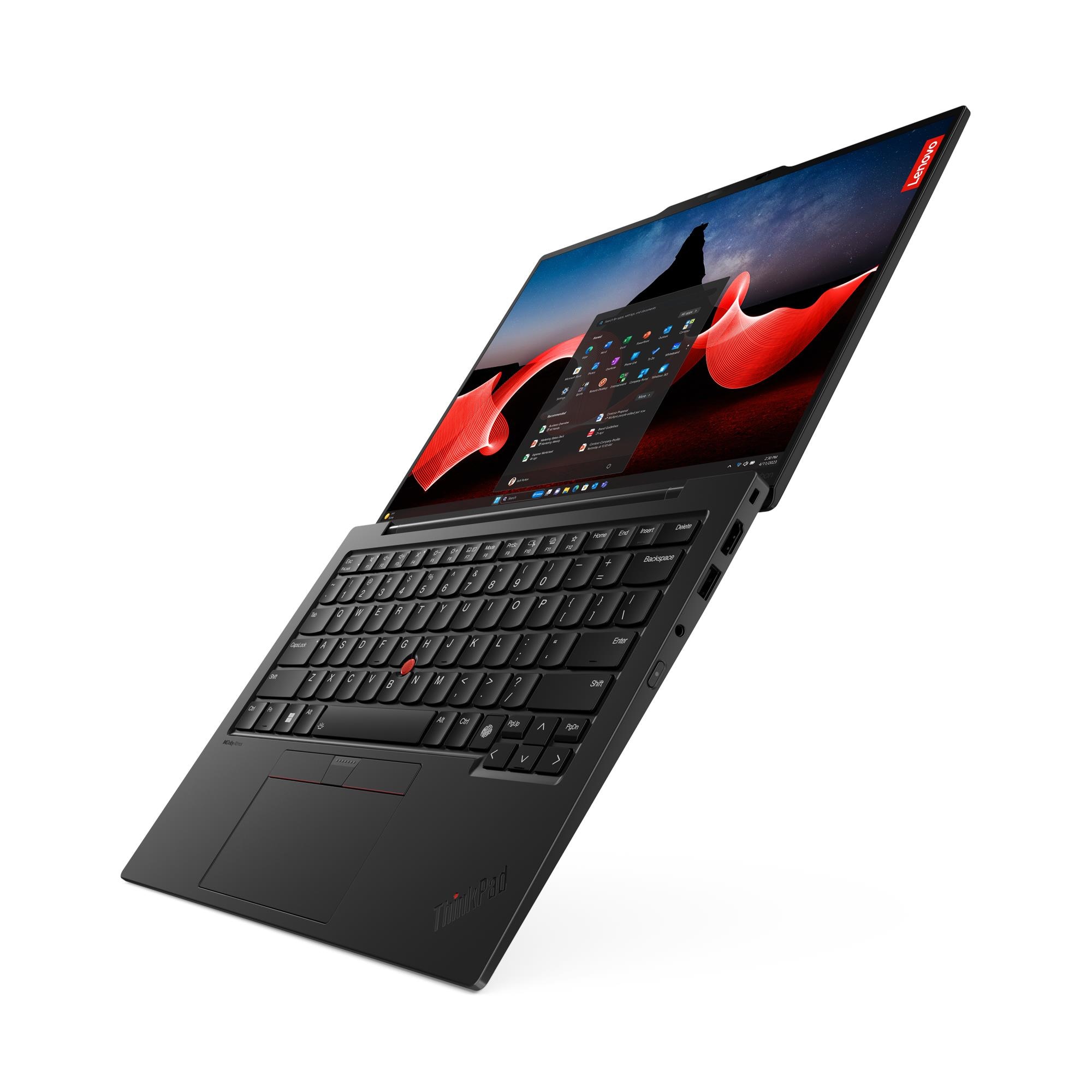
ThinkPad X1 Carbon - The remote work gold standard
The ThinkPad X1 Carbon is what I actually use for work, and it's basically perfect for remote work. Expensive? Yes. Worth it? Also yes.
The webcam is a proper 1080p FHD camera with IR sensor for Windows Hello. In actual Zoom calls, you look sharp and professional even in mediocre lighting. Way better than the 720p garbage most laptops ship with.
The mic array has AI-powered noise suppression that actually works. I've taken calls with construction happening outside and people said they couldn't hear it. The speakers are loud and clear—important when you're in a noisy environment.
Battery life is genuinely 12-15 hours with normal work use (Zoom calls, browser, Slack, email). I regularly go full days without charging. Fast charging hits 80% in like 30 minutes when you need it.
The keyboard is legendary—best laptop keyboard ever made, no exaggeration. If you type all day, this alone justifies the price. 1.5mm key travel, perfect tactile feedback, just chef's kiss.
It's light (2.48 lbs), the carbon fiber chassis is durable, and the 14" display is sharp with good anti-glare coating. Build quality is exceptional—these last 4-5 years easily.
The catch? It's $1,400-1,700. But for a tool you use 40+ hours weekly, it's an investment that pays off.
🏆 Best overall laptop for remote work professionals
Check Today's Price on Amazon →✅ Pros:
- Excellent 1080p webcam with IR sensor
- Best laptop keyboard, period
- 15-hour real-world battery life
- Light (2.48 lbs) and durable
- Great microphone with AI noise cancellation
- Fast charging (80% in 30 mins)
- Professional appearance on calls
❌ Cons:
- Expensive ($1,300-1,700)
- No dedicated GPU (not for creative work)
- Only 2 USB-C ports (get a hub)
- Display could be brighter outdoors
2. Apple MacBook Air M4 (2025)

MacBook Air M4 - Silent, powerful, incredible battery
If you're in the Apple ecosystem or prefer macOS, the MacBook Air M4 is basically the perfect remote work machine.
The webcam is a 12MP FaceTime HD camera with Center Stage—it literally follows you if you move around during calls. Image quality is excellent, probably the best webcam on any laptop. You look good on Zoom automatically.
The three-mic array is exceptional. Clear audio, good noise rejection. People always comment on how good I sound on calls with this laptop.
Battery life is insane—like genuinely 15-18 hours of normal work. I've done full workdays plus an evening of browsing and still had 20% left. It's stupid good.
Zero fan noise because there's no fan. Silent operation is underrated until you're on a quiet call and realize other people's laptops sound like jet engines. This is dead silent always.
The display is gorgeous—Liquid Retina with good brightness and color. Easy on the eyes for long days. The keyboard and trackpad are both excellent.
The only real downside is connectivity—just two USB-C ports plus a headphone jack. You'll need a hub if you use external monitors or lots of peripherals.
🍎 Best for Mac users: Unmatched battery life and silent operation → See Amazon pricing
✅ Pros:
- 12MP webcam with Center Stage
- Exceptional mic array
- 15-18 hour battery life
- Completely silent (fanless)
- Beautiful Retina display
- Super light and portable
- M4 chip handles everything smoothly
❌ Cons:
- Only 2 USB-C ports (need hub)
- macOS only (not for everyone)
- 8GB base RAM (get 16GB)
- No Windows software compatibility
3. HP EliteBook 840 G11
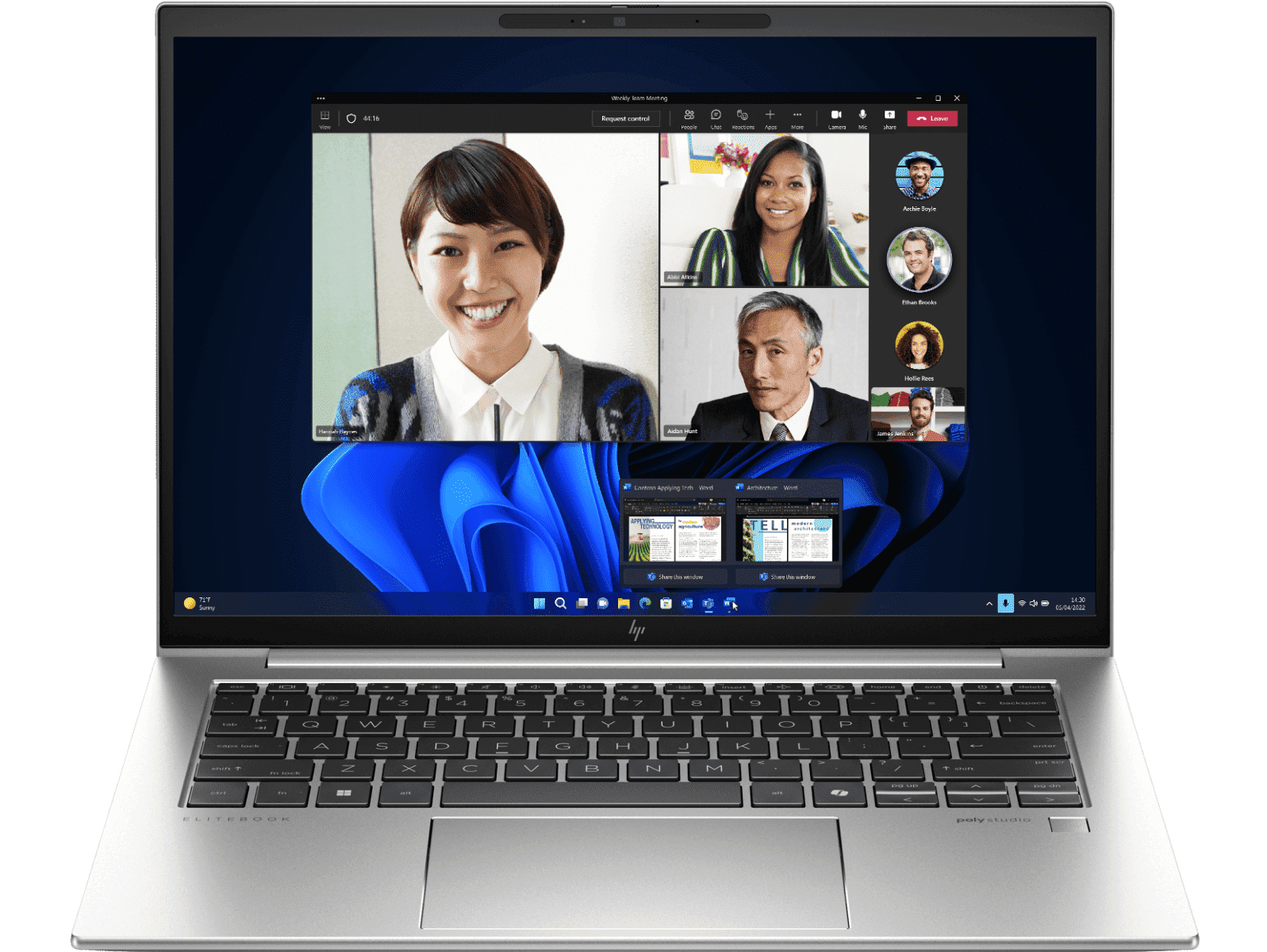
HP EliteBook 840 - Best value for professionals
The EliteBook 840 is what I recommend to people who want ThinkPad-level quality without the ThinkPad price tag.
It's got a solid 1080p webcam with IR sensor and privacy shutter. Not quite as good as the ThinkPad's camera, but way better than average. You look professional on calls, which is what matters.
HP uses good microphones—dual-array with noise reduction. Audio quality on calls is clear. The speakers are decent, loud enough for group calls in noisy environments.
Battery life is good, usually 10-12 hours with normal use. Not quite MacBook territory, but easily gets you through a workday with room to spare.
The keyboard is comfortable—not ThinkPad legendary, but solid for daily typing. The trackpad is responsive. Build quality feels premium for the price point.
It's got good port selection (USB-C, USB-A, HDMI) and WiFi 6E. HP Wolf Security is included if you care about enterprise security features.
At $900-1,100, it's significantly cheaper than premium options while still being genuinely good for remote work.
💼 Best value for remote professionals
Get It on Amazon →✅ Pros:
- Good 1080p webcam with privacy shutter
- Clear microphone array
- 10-12 hour battery life
- Much cheaper than ThinkPad
- Good port selection
- HP Wolf Security included
- Professional appearance
❌ Cons:
- Keyboard not as good as ThinkPad
- Webcam good but not excellent
- Heavier (3.3 lbs)
- Display could be brighter
4. ASUS Zenbook 14 OLED (2024)

ASUS Zenbook 14 - Best budget option
The Zenbook 14 OLED is the best budget option for remote work that doesn't feel like a budget laptop.
The webcam is 1080p FHD—not the absolute best, but totally usable for professional calls. You look fine, which is all that matters. Microphone is decent with basic noise reduction.
The standout feature is the 14" OLED display. It's gorgeous—vibrant colors, perfect blacks, way nicer than the LCD screens on laptops twice the price. Great for long workdays because it's easier on your eyes.
Performance is solid with Intel Core i5/i7 or AMD Ryzen options. Handles Zoom + multitasking without breaking a sweat. 16GB RAM in most configurations.
Battery life is good for the price—about 8-10 hours with normal use. Not all-day amazing, but workable if you're near outlets sometimes.
It's super light (2.82 lbs) and looks way more expensive than it is. The aluminum finish is clean and professional.
Build quality is decent. Not ThinkPad durable, but fine for normal use. Port selection is limited (mostly USB-C), so you'll probably want a hub.
💰 Best budget pick: OLED screen at this price is wild → Check it out on Amazon
✅ Pros:
- Gorgeous OLED display
- Very affordable ($700-850)
- 1080p webcam (good enough)
- Super light (2.82 lbs)
- Looks premium
- Good performance for the price
❌ Cons:
- Webcam/mic not as good as premium options
- Battery life just okay (8-10 hours)
- Limited ports (need hub)
- Build quality is good not great
5. Dell Latitude 7450
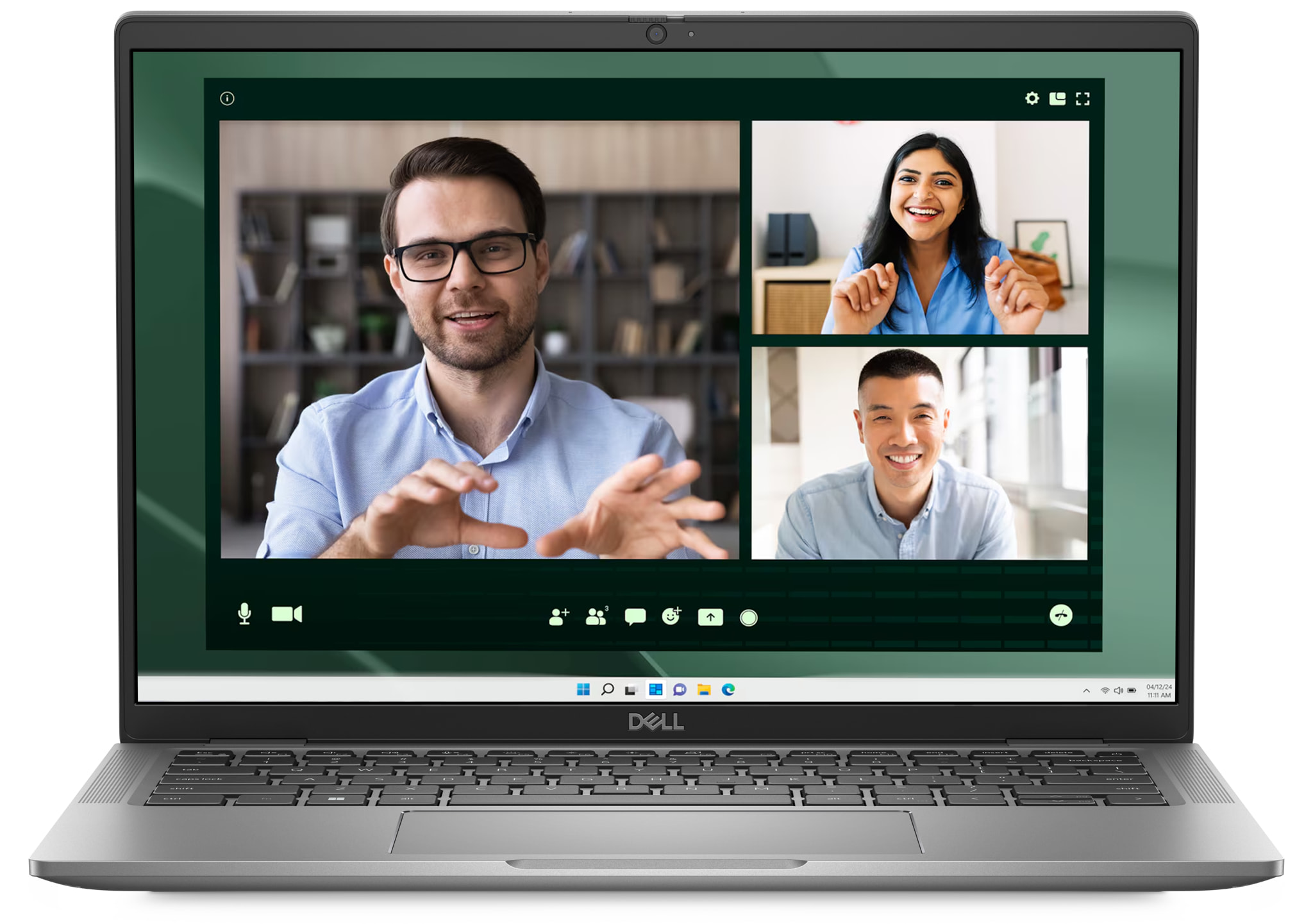
Dell Latitude 7450 - Battery life champion
The Latitude 7450 has the best battery life I've tested in a Windows laptop for remote work. If you're constantly in meetings away from outlets, this is your laptop.
Battery genuinely lasts 15+ hours with normal work use. I've done 10-hour workdays with Zoom calls, Slack, email, browsing and still had 30% left. It's wild.
The webcam is good 1080p with IR sensor for Windows Hello. Looks professional on calls. Microphone array is solid with AI noise reduction that works well.
Performance is strong with Intel Core Ultra processors. Handles everything smoothly—multiple apps, dozens of browser tabs, video calls, no lag.
Build quality is excellent Dell business-grade. This feels like it'll last 5+ years. Modular design means components are replaceable if something breaks.
Good port selection (USB-C, USB-A, HDMI), WiFi 6E, and Dell's business support is actually responsive if you need help.
The only downside is it's a bit heavier (3.2 lbs) and the design is utilitarian. Not ugly, just not exciting.
🔋 Best battery life for all-day meetings
View on Amazon →✅ Pros:
- Exceptional 15+ hour battery life
- Good 1080p webcam
- Solid microphone with noise reduction
- Excellent build quality
- Modular/repairable design
- Good Dell business support
❌ Cons:
- Heavier (3.2 lbs)
- Utilitarian design
- Display could be brighter
- More expensive than EliteBook
6. Microsoft Surface Laptop 7
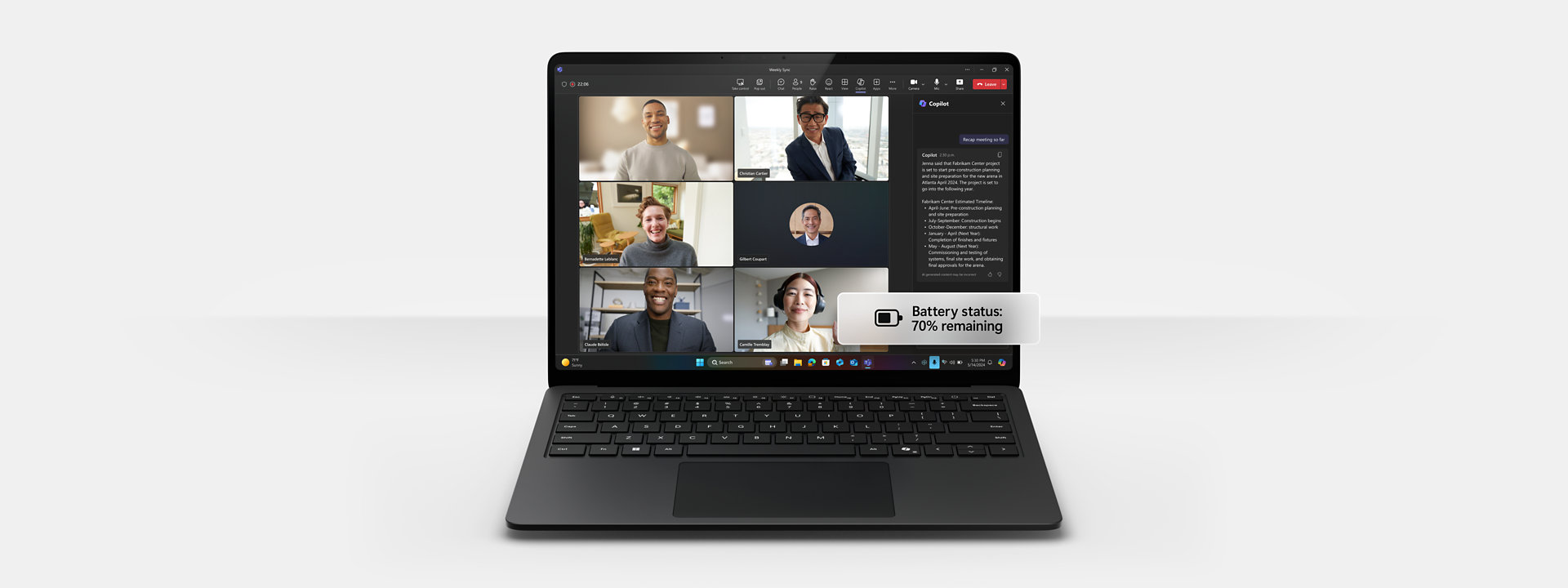
Surface Laptop 7 - Sleekest design
The Surface Laptop 7 is what you get if you want something that looks premium and works great for remote work.
The webcam is excellent 1080p with IR sensor. You look sharp and professional on calls. The Studio Mics (dual-array) are really good—clear audio with effective noise reduction.
The 13.8" PixelSense touchscreen is gorgeous with 120Hz refresh and good brightness (around 600 nits). Colors are vibrant, text is crisp. Great for long work sessions.
Snapdragon X Elite or X Plus ARM processor is fast and efficient. Battery life is excellent—12-14 hours with normal use. Stays cool and quiet during calls.
Build quality feels premium. Super thin, light (2.96 lbs), and the aluminum finish looks professional. Keyboard and trackpad are both excellent.
The catch? Limited ports (USB-C only, Surface Connect for charging). You'll need a hub. Also, ARM architecture means some Windows software compatibility issues with older programs.
✨ Premium option: Best looking laptop for remote work → See Amazon deals
✅ Pros:
- Excellent 1080p webcam
- Great Studio Mics
- Beautiful 120Hz touchscreen
- 12-14 hour battery life
- Premium design and build
- Lightweight (2.96 lbs)
❌ Cons:
- Limited ports (need hub)
- ARM processor = some app compatibility issues
- Not user-serviceable
- More expensive
💡 Things Remote Workers Always Overlook
Test your webcam in bad lighting before buying. Most laptops look fine in good lighting. The difference shows when you're in a dim room or have backlight. Read reviews specifically mentioning low-light webcam performance.
Keyboard comfort matters way more than specs. You're typing 6-8 hours daily. A mediocre keyboard will make you miserable. If possible, try typing on the laptop before buying or at least watch detailed keyboard reviews.
Battery life claims are lies. Manufacturers test with screen at 50%, WiFi barely used, nothing running. Real battery life is 60-70% of claimed specs. Look for real-world battery tests from reviewers.
Get 16GB RAM minimum for video calls. 8GB works but struggles when you have Zoom + Slack + browser tabs + work apps. 16GB gives you breathing room for years.
Privacy shutters for webcams are worth it. Either get a laptop with a built-in shutter or buy a webcam cover. You don't want to accidentally be visible on a call.
External monitor makes a huge difference. If you're working from home, get at least one external monitor. Staring at a 13-14" laptop screen all day is rough on your eyes and productivity.
WiFi 6 is minimum, WiFi 6E is better. Don't buy a laptop with WiFi 5 in 2026. You need stable connectivity for video calls.
USB-C hubs are mandatory for modern laptops. Most laptops have 2-3 USB-C ports max. Get a good hub with HDMI, USB-A, ethernet, SD card reader. Budget $30-60 for a decent one.
Check return policies before buying. Amazon usually has 30-day returns. Use it. Test the laptop for a week—if the webcam sucks or battery life disappoints, return it.
📊 Quick Comparison Table
| Model | Price | Webcam | Battery | Best For |
|---|---|---|---|---|
| ThinkPad X1 Carbon | $1,300-1,700 | 1080p FHD | 15hrs | Overall best |
| MacBook Air M4 | $800-1,300 | 12MP | 18hrs | Mac users |
| HP EliteBook 840 | $800-1,100 | 1080p | 12hrs | Best value |
| ASUS Zenbook 14 | $900-1,100 | 1080p | 10hrs | Budget pick |
| Dell Latitude 7450 | $900-1,300 | 1080p | 15+hrs | Battery life |
| Surface Laptop 7 | $900-1,300 | 1080p | 14hrs | Premium design |
Which Laptop Should You Actually Get?
After three years of remote work and way too many video calls, here's my honest take:
Best overall: Lenovo ThinkPad X1 Carbon → Check Amazon Price
Best for Mac users: MacBook Air M4 → Check Amazon Price
Best value: HP EliteBook 840 G11 → Check Amazon Price
Best budget: ASUS Zenbook 14 OLED → Check Amazon Price
Best battery: Dell Latitude 7450 → Check Amazon Price
Look, your laptop is the single most important tool for remote work. You use it 8+ hours daily, every single workday. Skimping on it to save $200 is penny-wise, pound-foolish.
That said, you don't need the absolute most expensive option either. The ASUS Zenbook at $700-850 will serve most people perfectly fine. The ThinkPad at $1,500 is better, but is it twice as good? Probably not.
The sweet spot for most remote workers is the $900-1,300 range. That gets you the HP EliteBook, Surface Laptop, or base MacBook Air—all of which are legitimately excellent for Zoom calls and daily work.
Whatever you choose, prioritize webcam quality, battery life, and keyboard comfort. Those three things will impact your daily experience way more than whether you have an i5 vs i7 processor.
And seriously, test it during the return window. Take some Zoom calls, work a full day, type for a few hours. If something bothers you in week one, it'll drive you insane by month six.
Now go upgrade your setup and stop looking like a blurry potato on video calls. Your colleagues will thank you.
Disclosure: As an Amazon Associate I earn from qualifying purchases. This post contains affiliate links, which means I may earn a small commission at no extra cost to you.


No comments:
Post a Comment