Best Webcams & Mics for Online Classes – Look & Sound Professional (2026)
My professor once told me I sounded like I was underwater during a Zoom presentation. In front of 50 classmates. For a graded assignment.
Turns out, my laptop's built-in mic was basically garbage, and the webcam made me look like a pixelated ghost in my dark dorm room. I got a C+ on that presentation, and I'm 90% sure it was because nobody could actually see or hear me properly.
That's when I realized something important: looking and sounding professional in online classes isn't just nice to have—it's kind of essential. Professors notice when you show up to class looking like you're calling from a potato. Your classmates notice when you sound like you're in a wind tunnel. And when it comes to interviews, presentations, or group projects? First impressions matter, even through a screen.
I've tested a bunch of webcams and mics over the past couple years—some for classes, some for job interviews, some for group presentations where I actually wanted people to take me seriously. This guide covers what actually works without requiring you to spend your entire semester's pizza budget.
⚡ Quick Picks (Between Lectures)
Best complete upgrade: Logitech C920 webcam ($60-80) + FIFINE K669 mic ($30) – total ~$90-110
Best webcam alone: NexiGo N60 ($20-30) – great for Zoom calls, good enough mic built-in
Best microphone alone: Blue Snowball iCE ($30-40) – sounds way better than laptop mics
Best budget combo: Creative Live! Cam Sync HD ($25-30) + Samson Go Mic ($40) – under $70 total
Best for job interviews: Razer Kiyo ($80-100) – built-in ring light makes you look good
Why Your Laptop's Built-in Camera & Mic Probably Suck
📹 The Harsh Truth About Built-In Equipment
Let's be real: laptop manufacturers don't care about your webcam. They stick in the cheapest camera that technically works and call it a day. Same with the microphone—it's an afterthought.
Built-in webcams are usually:
- Low resolution (often 720p or worse)
- Terrible in dim lighting (like dorm rooms)
- Positioned at weird angles (hello, unflattering chin shots)
- Fixed in place (can't adjust for better framing)
Built-in mics are even worse:
- Pick up EVERYTHING (keyboard typing, roommate yelling, AC noise)
- Make you sound tinny and distant
- Echo like crazy in dorm rooms
- Completely useless in coffee shops or libraries
When upgrading actually matters:
Online classes where participation is graded: Professors are way more engaged when they can actually see and hear you clearly. I'm not even kidding—my participation grade went up after I got better equipment.
Group projects on Zoom/Teams: Don't be the person everyone mutes because of background noise. Your groupmates will appreciate not hearing your entire life story via echo.
Virtual job interviews: This is huge. Looking and sounding professional can literally be the difference between getting hired or not. First impressions count double when you're on camera.
Presentations and pitches: If you're presenting to a class or pitching an idea, you want people focused on your content, not wondering what decade your webcam is from.
Recording lectures or study content: If you're making study videos, tutorial content, or anything you'll share with classmates, quality matters.
Webcams: What Actually Matters
Before I start recommending specific webcams, here's what to look for so you don't waste money on features you don't need.
Resolution: 1080p is the sweet spot. Don't bother with 4K—Zoom compresses everything anyway and it'll just slow down your internet. 720p is... fine if you're desperate, but 1080p makes a noticeable difference and isn't that much more expensive.
Low-light performance: This is huge for dorm rooms. Some webcams have auto light correction that actually works. Others make you look like a shadowy blob. Check reviews specifically mentioning dim lighting.
Mounting options: Clip-on designs that work with laptops and monitors are most versatile. Some come with tripod mounts which is nice for presentations.
Field of view: 70-90 degrees is standard and works for most stuff. Wider is good for group study sessions, narrower is better for keeping your messy room out of frame.
Alright, here are the actual webcams.
1. Logitech C920 HD Pro Webcam

Logitech C920 - The reliable standard
This is probably the most recommended webcam for students, and there's a reason—it just works really well for the price.
The C920 shoots 1080p at 30fps, which is perfect for Zoom, Teams, Google Meet, whatever your school uses. The autofocus is solid, so you stay sharp even if you're moving around a bit. Low-light performance is decent—not amazing, but way better than laptop cameras.
It's got built-in stereo mics that are actually usable. Like, if you don't want to buy a separate mic, these will work fine for classes. Not great for presentations you're recording, but totally fine for live Zoom discussions.
The clip design works on basically any laptop or monitor. Super easy to set up—literally plug it in via USB and it works immediately. No driver installation needed.
Build quality is solid Logitech. I've had mine for two years, gets thrown in my backpack constantly, still works perfectly.
Price hovers around $60-80 depending on sales. Sometimes drops to $50 during Black Friday or back-to-school deals.
🏆 Best all-around webcam for students
Check Today's Price on Amazon →✅ Pros:
- Great 1080p image quality
- Works immediately (plug and play)
- Good low-light performance
- Built-in mics are usable
- Reliable and durable
- Works with all platforms
❌ Cons:
- No ring light (dim rooms still challenging)
- Mics pick up background noise
- 30fps only (not 60fps)
- Kind of boring design
2. NexiGo N60 1080P Webcam

NexiGo N60 - Best budget webcam
If the C920 is too expensive or you just need something that works, the NexiGo N60 is shockingly good for $40-50.
It's 1080p, has autofocus, and the image quality is genuinely decent. Not as good as the Logitech, but like 80% as good for half the price. That's a great trade-off when you're on a student budget.
Low-light performance is okay—not amazing, but it has some auto light correction that helps. If your dorm room has terrible lighting, you'll want to add a desk lamp or something.
Built-in noise-cancelling mic is surprisingly decent. Won't blow anyone away, but totally fine for class participation.
Comes with a privacy cover which is nice if you're paranoid about getting hacked or just want to physically block the camera when not in use.
The tripod mount is a nice bonus—you can stick it on a cheap tripod for presentations instead of just clipping it to your laptop.
💰 Best budget pick: Amazing value for the price → Grab it on Amazon
✅ Pros:
- Crazy cheap for 1080p quality
- Privacy cover included
- Tripod mount
- Decent built-in mic
- Plug and play setup
- Good enough for 90% of students
❌ Cons:
- Image quality not as good as C920
- Low-light performance is just okay
- Build quality feels cheaper
- Autofocus can be slow sometimes
3. Razer Kiyo Streaming Webcam
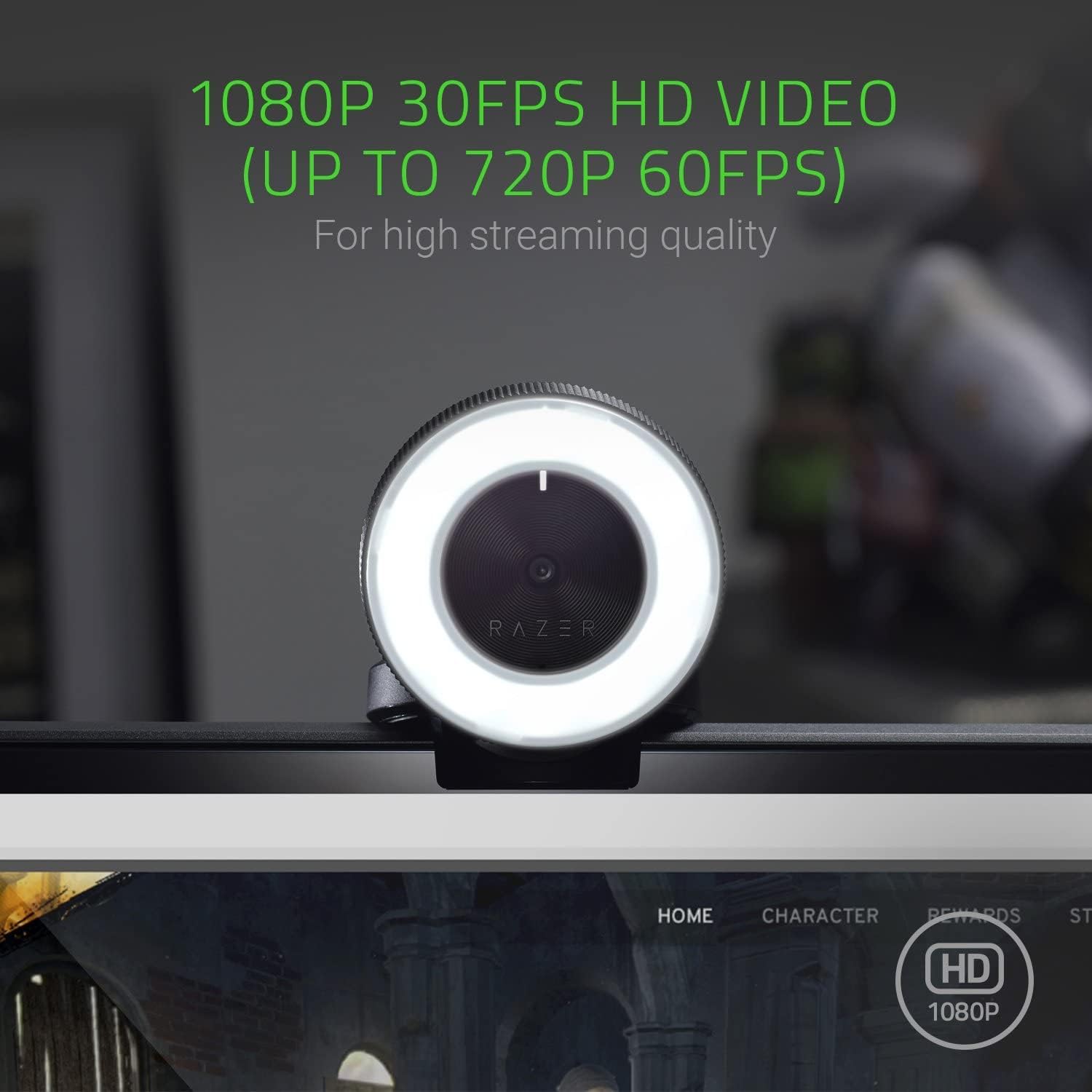
Razer Kiyo - Best for dim lighting
Here's the thing about the Razer Kiyo—it has a built-in ring light. That might sound gimmicky, but it's actually a game-changer if you're in a dark dorm room or basement apartment.
The ring light has 12 brightness levels, and it makes you look way more professional even in terrible lighting. This is especially useful for job interviews or important presentations where you actually want to look good.
Image quality is solid 1080p. The ring light helps a lot with overall clarity since proper lighting is like 80% of looking good on camera.
It's designed for streamers, so it's built really well. Feels premium, sturdy clip, good cable length.
The catch? It's more expensive at $80-100. But if you're doing virtual job interviews or you're in a program where you present a lot, it might be worth it.
💡 Best webcam for bad lighting situations
See Current Amazon Price →✅ Pros:
- Built-in adjustable ring light
- Makes you look great in any lighting
- Excellent 1080p quality
- Premium build quality
- Perfect for interviews
❌ Cons:
- More expensive
- Ring light eats USB power
- Bulkier than other webcams
- Overkill if you have good lighting
Microphones: Sound Way Better Than Your Laptop
Okay, real talk—audio quality matters even more than video quality. People will tolerate mediocre video, but bad audio makes you sound unprofessional and is genuinely hard to listen to.
USB mics are the way to go for students. Plug and play, no fancy audio interfaces needed, works with everything.
Condenser mics capture more detail. Better for voice, which is what you need for classes and presentations.
Cardioid pattern is what you want. Picks up sound from the front (your voice) and rejects sound from the sides and back (roommate, AC, traffic).
4. FIFINE K669 USB Microphone
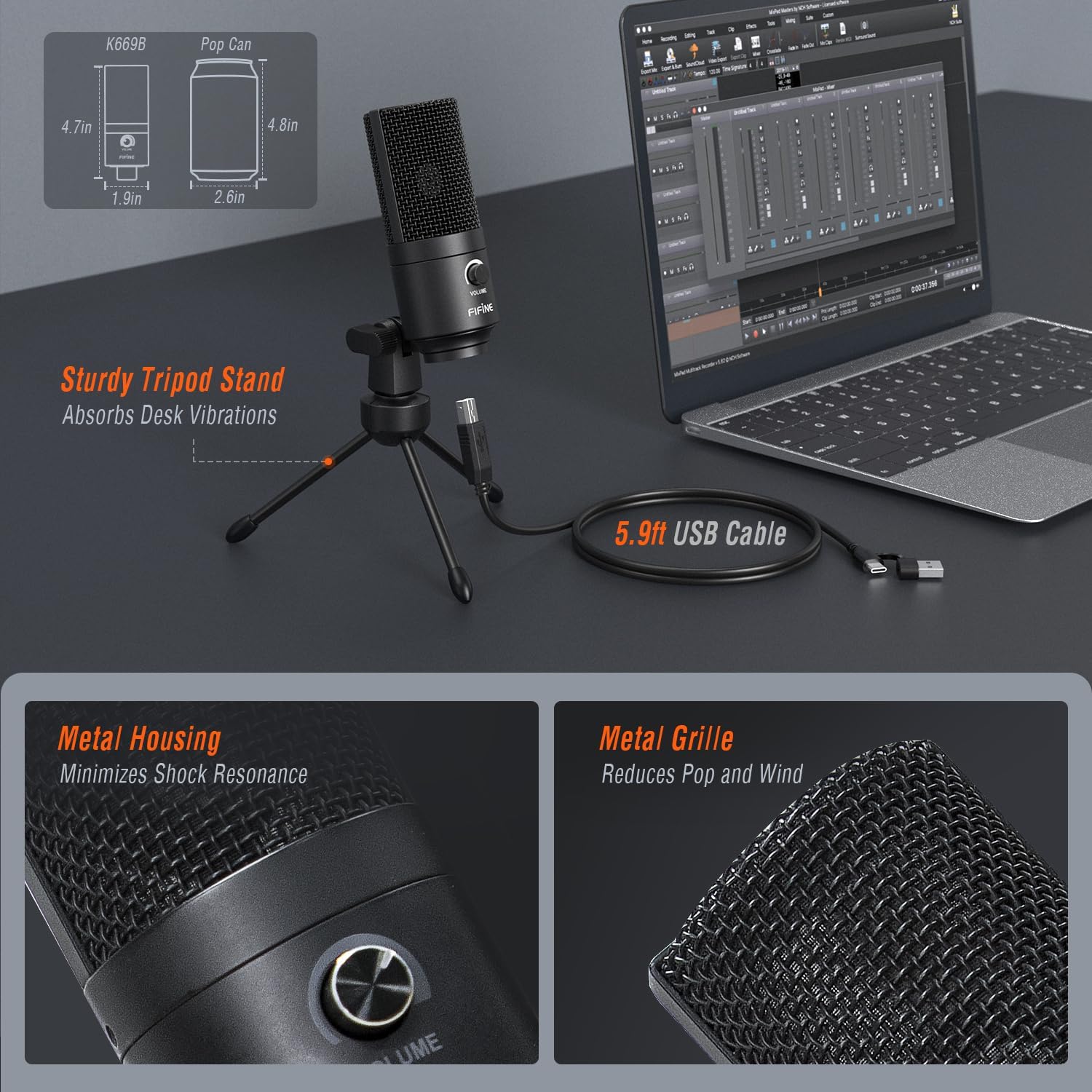
FIFINE K669 - Best budget USB mic
This is the mic I recommend to literally everyone who's on a tight budget. It's like $30 and it sounds SO much better than any laptop mic.
The FIFINE K669 is a condenser USB mic that's plug and play. Literally just plug it into your USB port and it works—no drivers, no setup, nothing.
Sound quality is really solid for the price. Clear voice capture, decent noise rejection, no weird hissing or static. Your voice comes through way clearer than laptop mics.
It comes with a mini tripod stand which is perfect for sitting on your desk next to your laptop. The mic is adjustable so you can angle it toward your mouth.
Volume control and mute button right on the mic itself, which is super convenient during Zoom classes.
It's not going to compete with $200 mics, but for students who just want to sound professional in online classes without spending a ton? This is perfect.
🎙️ Best budget microphone - crazy value
Get It on Amazon →✅ Pros:
- Super affordable ($30ish)
- Excellent sound for the price
- Plug and play setup
- Comes with desk stand
- Mute button and volume control
- Works with everything
❌ Cons:
- Picks up some background noise
- Stand is a bit wobbly
- No headphone jack for monitoring
- Basic design
5. Blue Snowball iCE USB Microphone
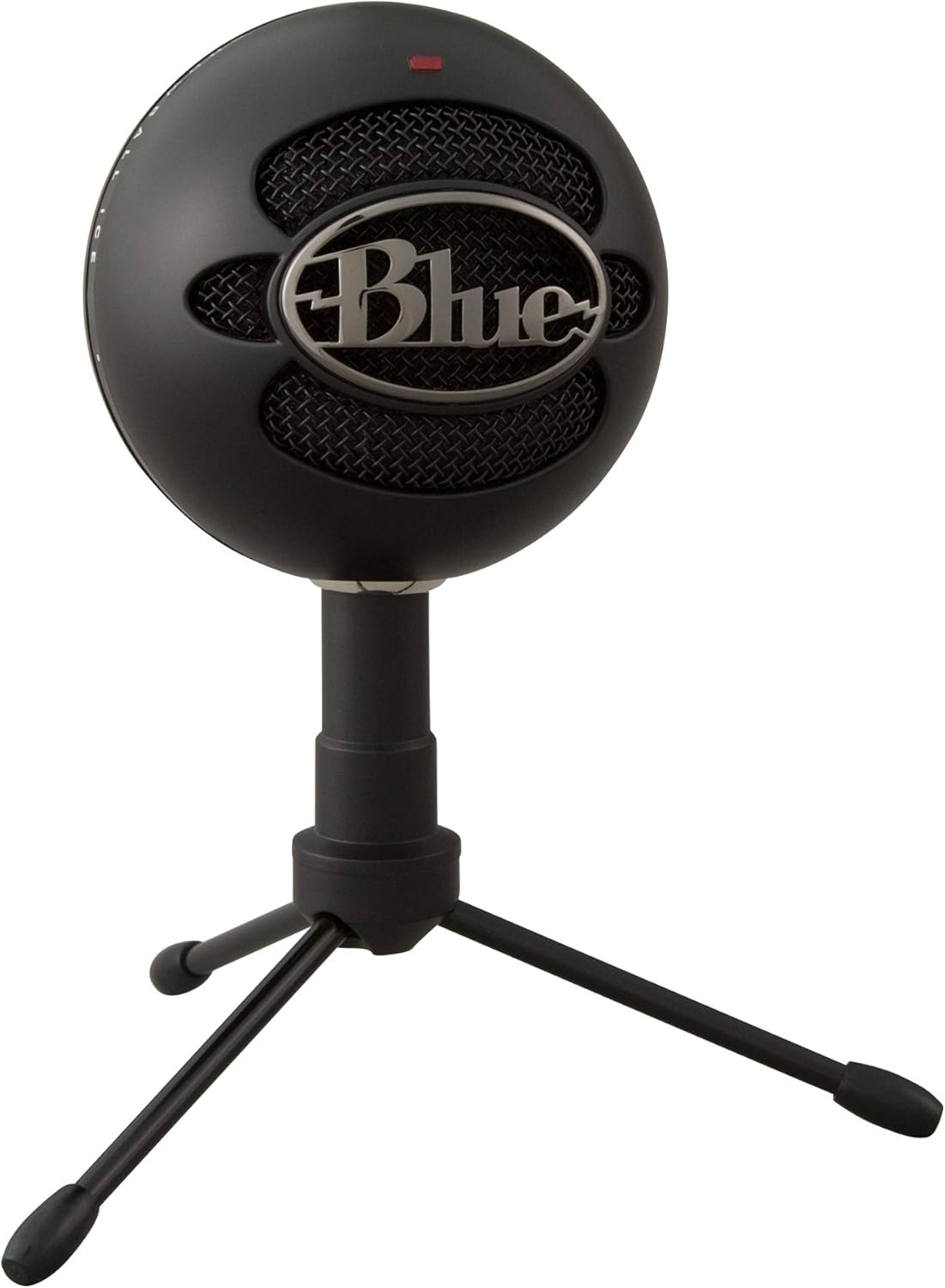
Blue Snowball iCE - Step up in quality
The Blue Snowball iCE is like the default "good USB mic" that everyone recommends, and honestly, they're right to recommend it.
Sound quality is noticeably better than budget options. Clearer, fuller, more professional-sounding. Your voice sounds warm and natural instead of tinny.
It's got a cardioid pickup pattern that does a good job rejecting background noise. Won't eliminate a loud roommate, but it helps a lot compared to omnidirectional laptop mics.
Build quality is solid—it's got this iconic retro ball design that's actually pretty heavy and stable on the included stand.
Plug and play via USB, works with Mac and PC, compatible with Zoom, Teams, Meet, Discord, everything.
The price is usually around $50-60, sometimes on sale for $45. That's the sweet spot where it's affordable for students but still sounds really good.
🎵 Trusted quality: Can't go wrong with Blue → Check Amazon pricing
✅ Pros:
- Excellent sound quality
- Good background noise rejection
- Sturdy build and stand
- Plug and play simplicity
- Trusted brand
- Great for presentations and interviews
❌ Cons:
- Bulkier than some options
- No mute button on mic
- More expensive than FIFINE
- Stand isn't adjustable
6. Samson Go Mic Portable USB Microphone

Samson Go Mic - Most portable option
The Samson Go Mic is tiny, like fits-in-your-pocket tiny. Perfect if you're moving between your dorm, the library, and coffee shops constantly.
It clips directly onto your laptop screen or sits on a fold-out stand. The portability is genuinely useful—I used to throw mine in my backpack for library study sessions.
Sound quality is good for the size. Not as full as the Blue Snowball, but way better than laptop mics. Clear and professional enough for online classes.
It's got both cardioid and omnidirectional patterns, so you can switch depending on whether you're doing a solo presentation or a group project.
Headphone jack for monitoring is a nice bonus at this price point.
Price is usually $35-45, which is super reasonable for how versatile it is.
🎒 Most portable USB mic for students
View on Amazon →✅ Pros:
- Incredibly portable
- Clips onto laptop
- Dual pickup patterns
- Headphone jack included
- Good sound for size
- Affordable
❌ Cons:
- Sound not as full as larger mics
- Stand is flimsy
- Can pick up desk vibrations
- Short USB cable
7. HyperX SoloCast USB Microphone

HyperX SoloCast - Gaming mic that's perfect for classes
Don't let the "gaming" branding fool you—the HyperX SoloCast is actually amazing for online classes and presentations.
Sound quality is really clean and clear. It's got a tap-to-mute sensor on top which is super convenient during Zoom classes when you need to cough or your roommate walks in.
The LED indicator shows when you're muted (red) or live (off), which prevents those embarrassing moments where you're talking and don't realize you're muted.
Cardioid pattern focuses on your voice and rejects background noise pretty well. Good for noisy dorm environments.
Comes with a shock mount that reduces handling noise and vibrations from your desk. Mounts on standard mic stands or boom arms if you want to upgrade your setup later.
Build quality is excellent—all metal construction, feels premium.
🎮 Gaming mic that works great for school: Professional quality → See it on Amazon
✅ Pros:
- Excellent sound quality
- Tap-to-mute is super convenient
- LED mute indicator
- Includes shock mount
- Premium metal build
- Works with boom arms
❌ Cons:
- No headphone jack
- Doesn't come with a stand
- Slightly pricier
- Gaming aesthetic (if you care)
💡 Setup Tips Nobody Tells You
Lighting matters more than camera quality. A cheap webcam with good lighting beats an expensive webcam in the dark. Face a window or get a $15 desk lamp. Seriously, lighting is like 80% of looking good on camera.
Position your webcam at eye level. Nobody wants to look up your nose. Stack some books under your laptop or get a laptop stand. Eye level or slightly above is the most flattering angle.
Mic placement matters. USB mics should be 6-12 inches from your mouth, pointed at your face. Too close and you'll pop your P's, too far and you'll sound distant.
Test your setup before important calls. Join the Zoom meeting 5 minutes early and check your video and audio. Don't be the person fumbling with settings when the interview starts.
Use virtual backgrounds wisely. They're great for hiding messy rooms, but they can look glitchy with cheap webcams. Test them first or just clean your background.
Mute when you're not talking. Especially in big classes. Your keyboard clicks, sniffles, and roommate's TV are annoying to everyone else.
Headphones reduce echo. If you're getting echo during calls, use headphones. Doesn't have to be fancy, even earbuds help prevent your mic from picking up the speaker audio.
Close unnecessary apps. Zoom/Teams use a lot of bandwidth. Close Netflix, pause downloads, maybe kick your roommate off Netflix for the hour.
Wired internet > WiFi. If you have an ethernet cable, use it during important presentations or interviews. Way more stable than WiFi.
🎯 What Setup Should You Actually Get?
If you have ~$100 total to spend:
Logitech C920 webcam ($70) + FIFINE K669 mic ($30) = professional setup for most students
If you're on a tight budget (~$50):
NexiGo N60 webcam ($45) + use its built-in mic. Upgrade to a separate mic later when you can.
If you prioritize audio (~$60):
Blue Snowball iCE mic ($55) + use your laptop webcam. Audio quality matters more than video for most classes.
If you have a dark room:
Razer Kiyo ($90) + its built-in mic is okay. The ring light is worth it if lighting sucks.
If you're always on the go:
Samson Go Mic ($40) + your laptop webcam. Super portable, good enough audio quality.
If you're doing job interviews:
Razer Kiyo webcam ($90) + Blue Snowball iCE ($55) = look and sound professional (~$145 total but worth it)
If you need maximum portability:
NexiGo N60 ($45) + Samson Go Mic ($40) = everything fits in a small case (~$85 total)
So What Should You Actually Buy?
Look, I get it—spending money on webcams and mics feels less fun than spending it on literally anything else. But trust me, the difference between looking like a professional student and looking like you're calling from 2005 is huge.
Best overall combo: Logitech C920 + FIFINE K669 → C920 on Amazon | K669 on Amazon
Best budget webcam: NexiGo N60 → Check Amazon Price
Best for bad lighting: Razer Kiyo → Check Amazon Price
Best budget mic: FIFINE K669 → Check Amazon Price
Best quality mic: Blue Snowball iCE → Check Amazon Price
Most portable mic: Samson Go Mic → Check Amazon Price
Honestly? Even the budget options are miles better than your laptop's built-in stuff. I went from sounding like I was in a cave to actually sounding professional for like $60 total. My professor stopped asking me to repeat myself. My group project teammates stopped complaining about my audio. I got better grades on presentations.
Is that entirely because of better equipment? Probably not. But looking and sounding professional makes people take you more seriously, and that matters in online classes whether we want it to or not.
Plus, when you eventually need to do a job interview over Zoom? You'll be ready. That alone makes this stuff worth it.
Now go look and sound way better than everyone else in your 8 AM Zoom lecture. Your professor will notice.
Disclosure: As an Amazon Associate I earn from qualifying purchases. This post contains affiliate links, which means I may earn a small commission at no extra cost to you.


No comments:
Post a Comment